1
ScaleResource.com
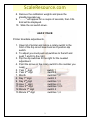
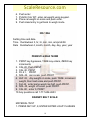
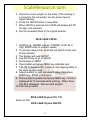
8. Remove the calibration weights and press the
standby/operate key.
9. “……..” will appear for a couple of seconds, then CAL
End will be displayed.
10. Slide the cal switch down.
A&D 8115A/B
Printer time/date adjustments.
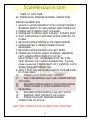
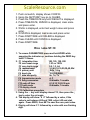
1. Open lid of printer and notice a rotary switch to the
front of the top circuit board and an 8 position dip
switch.
2. To adjust you must push all switches to the left and
push 7 and 8 to the right.
3. Flip the dip switches to the right for the needed
adjustment.
4. Point the arrow on the rotary switch to the number you
need.
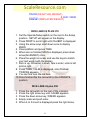
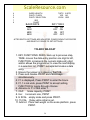
switch 1
5. Year 1st digit
nd
6. Year 2 digit
switch 2
7. Month
switches 1,2
st
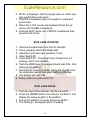
8. Day 1 digit
switch 3
nd
switches 1,3
9. Day 2 digit
st
10.Hour 1 digit
switches 2,3
nd
11.Hour 2 digit
switches 1,2,3
st
12.Minute 1 digit
switch 4
nd
13.Minute 2 digit
switches 1,4
2