1
mxc401_us_qck.book
79 ページ
2008年10月16日 木曜日 午前10時51分
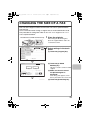
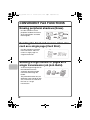
CHANGING THE SIZE OF A FAX
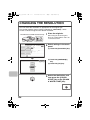
The size of the original and the transmission size can be specified before
transmission.
This is convenient when faxing an original that is small and difficult to read.
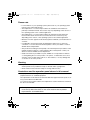
The procedure for faxing both sides of an 8-1/2" x 11" original at 11" x 17"
size is explained below.
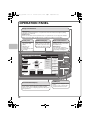
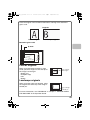
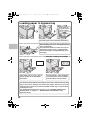
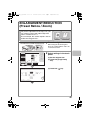
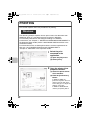
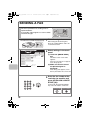
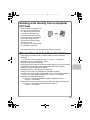
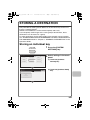
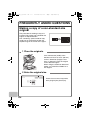
The side to be scanned must be face up!
Scan
Address Book
Internet Fax
Original
Fax
(1)
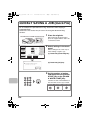
Scan:
Direct TX
Exposure
Auto
Sub Address
Resolution
Standard
Address Review
Special Modes
USB Mem. Scan
PC Scan
Send:
8½x11
Auto
1
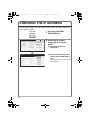
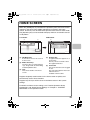
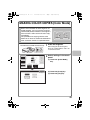
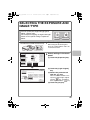
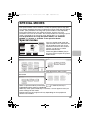
Place the originals.
2
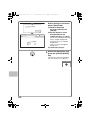
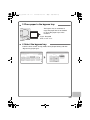
Select settings in the touch
panel.
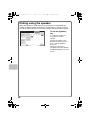
When using the document glass,
place the original with the side to be
scanned face down.
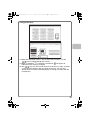
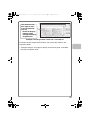
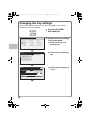
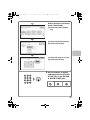
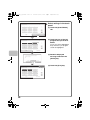
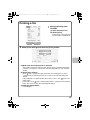
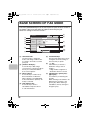
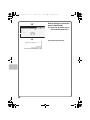
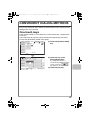
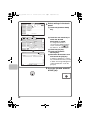
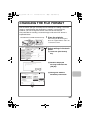
(1) Touch the [Original] key.
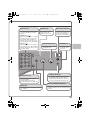
File
Quick File
Auto Reception
Fax Memory:100%
OK
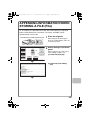
Fax/Original
Scan Size
100% Send Size
8½x11
Auto
(3)
(4)
Image Orientation
2-Sided
Booklet
(2)
2-Sided
Tablet
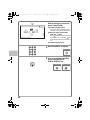
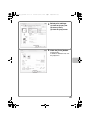
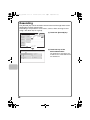
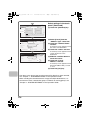
(2) Touch the [2-Sided
Booklet] key.
This key is used to send a 2-sided
original.
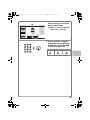
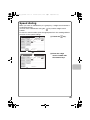
(3) Make sure that the size of
the placed original is
displayed.
If the wrong size appears, touch
the key and select the correct size.
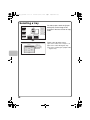
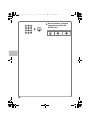
(4) Touch the [Send Size] key.
79