1
mxc401_us_qck.book
36 ページ
2008年10月16日 木曜日 午前10時51分
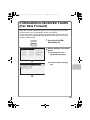
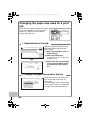
COPYING ON SPECIAL PAPER
(Bypass Copy)
Use the bypass tray to copy on special
media such as heavy paper, and envelopes.
This section explains how to load
8-1/2" x 11" heavy paper in the bypass tray.
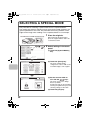
Original
The side to be scanned must be face up!
The side to
be copied on
must be face
down!
Color Mode
Special Modes
Full Color
2-Sided Copy
Plain
8½x11
Exposure
1.
2.
3.
4.
Auto
8½x11
5½x8½
8½x14
8½x11
Output
File
Quick File
Copy Ratio
Original
100%
8½x11
(1)
1
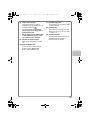
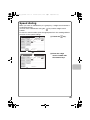
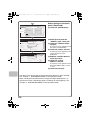
Place the originals.
2
Insert paper in the bypass
tray.
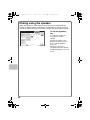
3
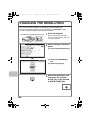
Select settings in the touch
panel.
When using the document glass,
place the original with the side to be
scanned face down.
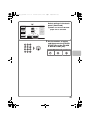
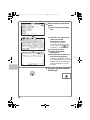
(1) Set the original size.
(2) Touch the [Paper Select]
key.
Paper Select
Auto
8½x11
Plain
(2)
OK
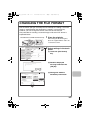
Paper Select
Bypass Tray
Paper Tray
1. 8½x11
Plain
2. 5½x8½
Plain
8½x11
Plain
36
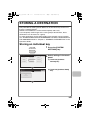
Copy on heavy paper
3. 8½x14
Plain
4. 8½x11
Plain
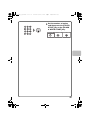
(3)
(3) Touch the paper type key
of the bypass tray.
Here the [Plain] key has been
touched.