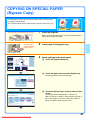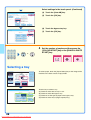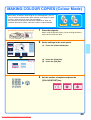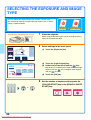
1
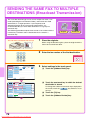
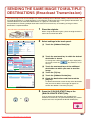
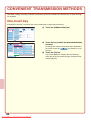
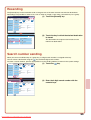
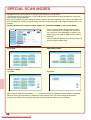
STORING A FAX NUMBER
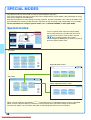
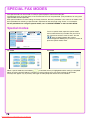
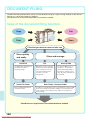
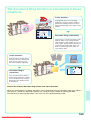
You can store fax numbers in one-touch keys.
Stored fax numbers can be retrieved quickly and easily.
If you frequently send faxes to the same group of fax machines, the
numbers of those fax machines can be stored as a group (multiple fax
numbers can be stored in one key).
One-touch keys
Group key
A Corp.
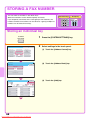
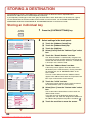
Storing an individual key
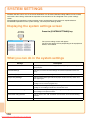
SYSTEM
SETTINGS
System Settings
Admin Password
Total Count
Default Settings
List Print
(User)
Paper Tray
Settings
Address Control
Fax Data
Receive/Forward
Printer Condition
Settings
Document Filing
Control
(1)
USB-Device Check
Exit
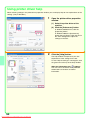
1
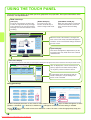
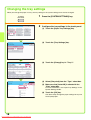
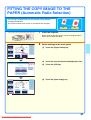
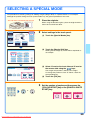
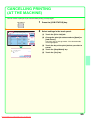
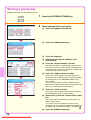
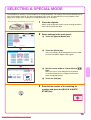
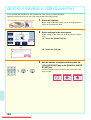
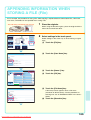
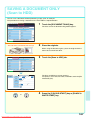
Press the [SYSTEM SETTINGS] key.
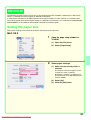
2
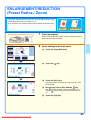
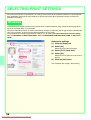
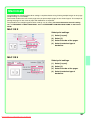
Select settings in the touch panel.
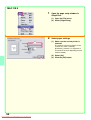
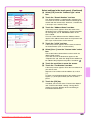
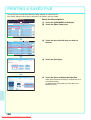
(1) Touch the [Address Control] key.
(2) Touch the [Address Book] key.
System Settings
Back
Address Control
Address Book
(2)
Custom Index
Program
F-Code Memory Box
Address Book
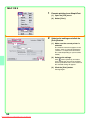
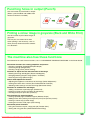
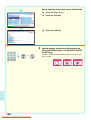
(3) Touch the [Add] key.
Back
Add
Sort
ABC
Freq.
All
ABCD
EFGHI
UP
JKLMN
AAA AAA
BBB BBB
CCC CCC
DDD DDD
EEE EEE
FFF FFF
GGG GGG
HHH HHH
III III
JJJ JJJ
OPQRST
(3)
UVWXYZ
1
2
68
Downloaded From ManualsPrinter.com Manuals