1
IMPORTANT INFORMATION &
CONTENTS
IMPORTANT INFORMATION
CONTENTS
PREVIOUS PAGE
NEXT PAGE
CONTENTS
● The “readmeen.txt” file, located in the “Readme” folder of the “PixLab Lite Installation CD-ROM”, includes important new information that could not be included in
this on-line manual.
The “readmeen.txt” file can be read using the “Notepad” program provided with
Windows. For instructions on using “Notepad”, refer to the Windows operating
instructions.
● This on-line manual is written for users who already understand how to use
Microsoft Windows and the mouse.
Should you have any questions on operating Windows or the mouse, refer to the
Windows on-line manual, instruction manual, etc.
● The descriptions in this on-line manual may not correspond exactly to your
computer’s environment.
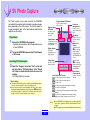
SV Photo Capture .......................................................................... 3
Preparations ............................................................................................. 3
Launching SV Photo Capture ................................................................... 3
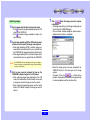
Capturing images ..................................................................................... 4
Saving images .......................................................................................... 5
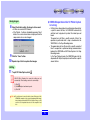
Exitting ...................................................................................................... 5
VIEWCAM operation while SV Photo Capture is running ................... 5
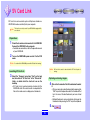
SV Card Link .................................................................................. 6
Copyright
Preparations ............................................................................................. 6
Launching SV Card Link ........................................................................... 6
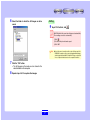
Capturing and saving images ................................................................... 6
Exitting ...................................................................................................... 7
● Microsoft and Windows are registered trademarks or trademarks of Microsoft
Corporation in the United States and other countries.
● Other names of corporations and products are trademarks or registered trademarks
of the respective corporations.
● The contents of the on-line manual have been prepared with care. If, however,
you should have any doubts or notice any errors, please contact Sharp Corporation.
● PixLab (hereafter referred to as “this software”) is copyrighted by Sharp
Corporation. Copyrights and other rights concerning PixLab belong to Sharp
Corporation.
● The contents of the on-line manual may not be reproduced in part or in whole.
They are for personal use only, and as per copyright laws may not be used without
the permission of Sharp Corporation.
● Please note that Sharp Corporation will accept no responsibility for damages,
loss of income or claims by third parties resulting from the use of this software.
● Please note that the specifications of this software and the contents of the on-line
manual are subject to change without prior notice.
● Operation may be slow depending on the computer’s operating environment and
processing capabilities.
● Images or recordings you make on your camcorder may be used for your personal
enjoyment only. They may not be used without the permission of the copyright
holder per copyright laws. Also note that the use of certain performances, shows,
exhibitions, etc., though intended for personal enjoyment, may be restricted.
Troubleshooting ............................................................................ 8
If there are communications errors or communicationsare unstable... ..... 8
It the image cannot be captured... ............................................................ 8
2