1
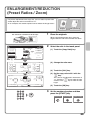
ENLARGEMENT/REDUCTION
(Preset Ratios / Zoom)
55%
For precise adjustment of the copy size, you can select a preset ratio
and/or adjust the ratio in increments of 1%.
As an example, this section explains how to reduce the image to 55%.
Original
1
The side to be scanned must be face up!
Ratio-specified copy
Place the originals.
When using the document glass, place the
original with the side to be scanned face down.
Ready to scan for copy.
0
Original
Job Detail
Settings
2-Sided Copy
A4
A4
1.
2.
100%
Copy Ratio
3.
4.
Select the ratio in the touch panel.
(1) Touch the [Copy Ratio] key.
Output
Plain
Auto
Exposure
2
Special Modes
A4
A4R
B4
A3
File
Quick File
(1)
Copy Ratio
B4
A3
B5
A4
70%
B5
B4
A5
A4
81%
A4
A3
B5
B4
86%
100
Zoom
100%
Auto Image
1
Menu
(2) Change the ratio menu.
OK
%
B5
B4
A4
A3 115%
A5
A4
B5
B4 122%
B5
A4
B4
A3 141%
(3) Touch the [50%] key.
XY Zoom
2
(4) Set the copy ratio to 55% with the
key.
(2)
Copy Ratio
OK
55 %
25%
Zoom
50%
(3)
Auto Image
200%
(4)
100%
Menu
The ratio can be adjusted in increments of
1%. Touch the
key to make the ratio
smaller, or the
key to make the ratio
larger.
(5)
400%
1
2
(5) Touch the [OK] key.
XY Zoom
3
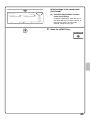
Set the number of copies and then
press the [START] key.
Correct sets
Cancel scanning
Cancel copying
29