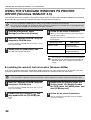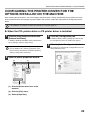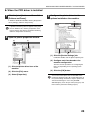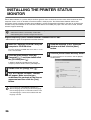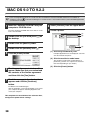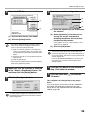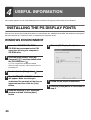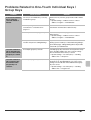
1
FITTING THE COPY IMAGE TO THE
PAPER (Automatic Ratio Selection)
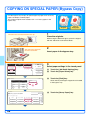
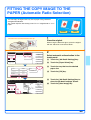
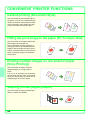
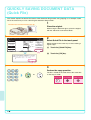
You can copy an original onto any size of paper using automatic
enlargement/reduction.
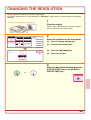
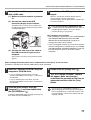
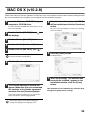
This section explains how to copy an 8-1/2" x 11" original onto 11" x 17"
paper.
8-1/2x11
11x17
1
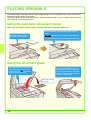
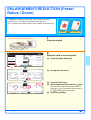
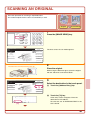
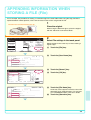
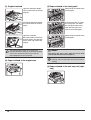
The side to be scanned must be face up!
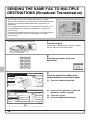
Place the original.
When using the document glass, place the original
with the side to be scanned face down.
Full Color
Color Mode
2-Sided Copy
Auto
81/2x11
Paper Select
Auto
Original
Job Detail
Settings
Output
(2)Modes 8 x11
Special
1/2
(1)
Auto
Exposure
Special Modes
Quick File
Paper Select
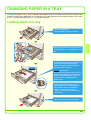
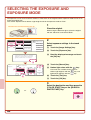
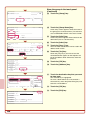
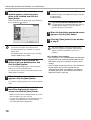
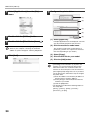
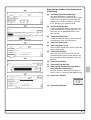
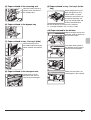
(2) Touch the [Paper Select] key.
(3) Touch the tray that has the desired
paper size.
OK
1.81/2x11
Plain
2.81/2x11R
Plain
1/2
3.8 x14
Plain
4. 11x17
Plain
81/2x11
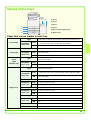
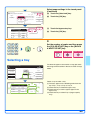
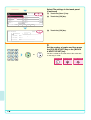
Select automatic ratio selection in the
touch panel.
(1) Touch the [Job Detail Settings] key.
File
100%
Copy Ratio
2
(4)
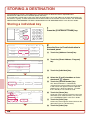
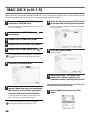
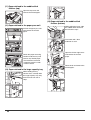
(4) Touch the [OK] key.
Plain
(3)
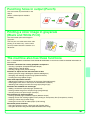
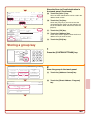
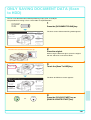
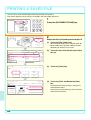
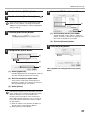
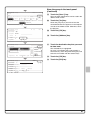
Ready to scan for copy.
0
Full Color
Color Mode
Original 81/2x11
2-Sided Copy
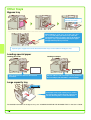
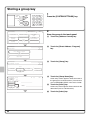
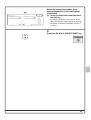
(5) Touch the [Job Detail Settings] key to
close the job detail settings screen.
(6) Touch the [Auto Image] key.
Output
Job Detail
Settings
81/2x11
Auto
(5)
Exposure
(6)
100%
Copy Ratio
Auto
Image
81/2x11
2. 81/2x11R
3. 81/2x14
4. 11x17
Special Modes
1.
File
Quick File
25