1
254
Kaspersky Anti-Virus for Windows Workstations 6.0
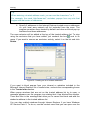
Warning!
If infected or potentially infected objects were detected when you scanned the
computer, and they were processed and then moved to Quarantine or Backup
Storage, we recommend completing processing those objects during the current
session with a rescue disk.
Otherwise, these objects will be lost when you restart your computer.
17.11. Using additional services
Kaspersky Anti-Virus for Windows Workstations provides you with the following
advanced features:
•
Notifications of certain events that occur in the program.
•
Kaspersky Anti-Virus for Windows Workstations Self-Defense against
modules being disabled, deleted, or edited, as well as password
protection for the program.
•
Resolving conflicts with Kaspersky Anti-Virus 6.0 when using other
applications.
To configure these features:
1.
Open the program setup window with the Settings link in the main
window.
2.
Select Service from the settings tree.
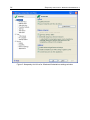
In the right hand part of the screen you can define whether to use additional
features in program operation.
17.11.1. Kaspersky Anti-Virus for Windows
Workstations event notifications
Different kinds of events occur in Kaspersky Anti-Virus for Windows
Workstations. They can be of an informative nature or contain important
information. For example, an event can inform you that the program has updated
successfully, or can record an error in a component that must be immediately
eliminated.
To receive updates on Kaspersky Anti-Virus for Windows Workstations
operation, you can use the notification feature.