1
Table of Contents
5
6.8. Types of Malware to Monitor............................................................................... 70
6.9. Creating a trusted zone....................................................................................... 71
6.9.1. Exclusion rules.............................................................................................. 72
6.9.2. Trusted applications...................................................................................... 77
CHAPTER 7. FILE ANTI-VIRUS ................................................................................... 81
7.1. Selecting a file security level ............................................................................... 82
7.2. Configuring File Anti-Virus................................................................................... 83
7.2.1. Defining the file types to be scanned ........................................................... 84
7.2.2. Defining protection scope............................................................................. 86
7.2.3. Configuring advanced settings..................................................................... 88
7.2.4. Using Heuristic Analysis ............................................................................... 90
7.2.5. Restoring default File Anti-Virus settings ..................................................... 92
7.2.6. Selecting actions for objects......................................................................... 93
7.3. Postponed disinfection ........................................................................................ 94
CHAPTER 8. MAIL ANTI-VIRUS .................................................................................. 96
8.1. Selecting an email security level......................................................................... 97
8.2. Configuring Mail Anti-Virus.................................................................................. 99
8.2.1. Selecting a protected email group................................................................ 99
8.2.2. Configuring email processing in Microsoft Office Outlook......................... 101
8.2.3. Configuring email scans in The Bat! .......................................................... 102
8.2.4. Using Heuristic Analysis ............................................................................. 104
8.2.5. Restoring default Mail Anti-Virus settings .................................................. 105
8.2.6. Selecting actions for dangerous email objects .......................................... 105
CHAPTER 9. WEB ANTI-VIRUS ................................................................................ 108
9.1. Selecting Web Security Level ........................................................................... 109
9.2. Configuring Web Anti-Virus............................................................................... 111
9.2.1. Setting a scan method................................................................................ 111
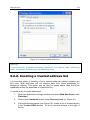
9.2.2. Creating a trusted address list.................................................................... 113
9.2.3. Using Heuristic Analysis ............................................................................. 114
9.2.4. Restoring default Web Anti-Virus settings ................................................. 115
9.2.5. Selecting responses to dangerous objects................................................ 115
CHAPTER 10. PROACTIVE DEFENSE .................................................................... 117
10.1. Activity Monitoring Rules................................................................................. 120
10.2. Application Integrity Control ............................................................................ 124