1
143
Protection against network attacks
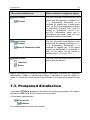
Low Security – blocks only banned network activity, using block rules that
either were installed by with the program or that you created. However,
if there is a allow rule for an application with a higher priority than the
block rule, the program will allow the network activity of that application.
Allow all – allows all network activity on your computer. You are advised to
set protection to this level in extremely rare cases, when no active
network attacks have been observed and you fully trust all network
activity.
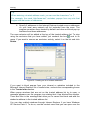
You can raise or lower the network security level by selected the existing level
you want, or by changing the settings for the current level.
To modify the network security level:
1.
Select Anti-Hacker in the
Workstations settings window.
Kaspersky
Anti-Virus
for
Windows
2.
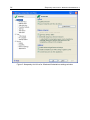
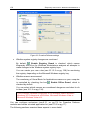
Adjust the slider in the Enable Firewall section, to indicate the required
security level.
To configure the network security level:
1.
Select the security level that best matches your preferences, as above.
2.
Click the Settings button and edit the network security settings in the
window that opens.
12.2. Application rules
Kaspersky Anti-Virus for Windows Workstations includes a set of rules for the
commonest Windows applications. These are programs whose network activity
has been analyzed in detail by Kaspersky Lab, and is strictly defined as either
dangerous or trusted.
Depending on the security level (see 12.1 on pg. 142) selected for the Firewall,
and the type of network (see 12.5 on pg. 153) on which the computer is running,
the list of rules for programs can be used in various ways. For example, with
Maximum protection any application network activity that does not match the
allow rules is blocked.
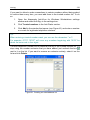
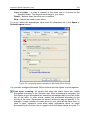
To work with the application rule list:
1.
Click Settings in the Firewall section of the Anti-Hacker settings
window.
2.
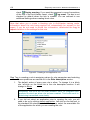
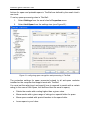
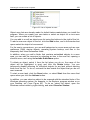
In the window that opens, select the Rules for applications tab (see
Figure 43).