1
Table of Contents
Table of Contents
PREFACE......................................................................................................................... 1
Notice.................................................................................................................... 1
Trademarks ........................................................................................................... 1
About this Manual ................................................................................................ 2
Guide to Conventions ........................................................................................... 2
TABLE OF CONTENTS................................................................................................. 3
PART ONE .....................................................................................................................5
INTRODUCTION..........................................................................................................5
CHAPTER 1
OVERVIEW ........................................................................................ 6
CHAPTER 2
PACKAGE CONTENTS .................................................................... 7
Kit 1 ...................................................................................................................... 8
Kit 2 ...................................................................................................................... 8
Kit 3 ...................................................................................................................... 9
Optional Items .................................................................................................... 10
What Else You Need........................................................................................... 10
CHAPTER 3 COMPONENTS................................................................................. 11
G1 Front View .................................................................................................... 11
G1 Back View..................................................................................................... 12
G1 Port Configurations....................................................................................... 12
G2 Front View .................................................................................................... 13
G2 Back View..................................................................................................... 13
G2 Port Configurations....................................................................................... 14
NT redrive card................................................................................................... 14
PART TWO ..................................................................................................................15
HARDWARE INSTALLATION ................................................................................15
CHAPTER 4
EXASAN INSTALLATION ............................................................. 16
Pre-installation Notices....................................................................................... 17
Mounting the ExaSAN system............................................................................ 18
Installing the Hard Disk Drives .......................................................................... 19
Installing the NT redrive card ............................................................................. 19
PART THREE..............................................................................................................20
CONNECTIONS ..........................................................................................................20
CHAPTER 5 CONNECTIONS ............................................................................... 21
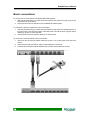
Basic connections ............................................................................................... 22
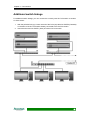
Additional switch linkage ................................................................................... 23
Removing the External PCIe x4 Cable ............................................................... 24
Connecting to a Power Source and Powering On ............................................... 24
Powering Off ...................................................................................................... 24
PART FOUR ................................................................................................................26
3