1
COPY
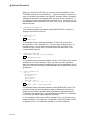
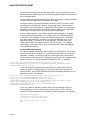
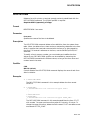
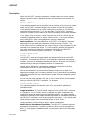
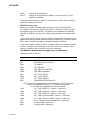
a contiguous allocation, the COPY command does not report an error. If you
copy multiple input files of different formats, the output file may or may not be
contiguous. You can use the /CONTIGUOUS qualifier to ensure that files are
copied contiguously.
The /CONTIGUOUS qualifier has no effect when you copy files to or from tapes
because the size of the file on tape cannot be determined until after it is copied to
the disk. If you copy a file from a tape and want the file to be contiguous, use the
COPY command twice: once to copy the file from the tape, and a second time to
create a contiguous file.
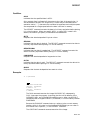
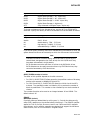
/CREATED (default)
Modifies the time value specified with the /BEFORE or the /SINCE qualifier. The
/CREATED qualifier selects files based on their dates of creation. This qualifier is
incompatible with the /BACKUP, /EXPIRED, and /MODIFIED qualifiers, which
also allow you to select files according to time attributes. If you specify none of
these four time qualifiers, the default is the /CREATED qualifier.
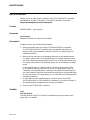
/EXCLUDE=(filespec[,...])
Excludes the specified files from the copy operation. You can include a directory
but not a device in the file specification. The asterisk ( * ) and the percent sign
( % ) wildcard characters are allowed in the file specification; however, you cannot
use relative version numbers to exclude a specific version. If you specify only one
file, you can omit the parentheses.
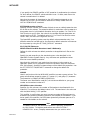
/EXPIRED
Modifies the time value specified with the /BEFORE or the /SINCE qualifier.
The /EXPIRED qualifier selects files according to their expiration dates. (The
expiration date is set with the SET FILE/EXPIRATION_DATE command.)
The /EXPIRED qualifier is incompatible with the /BACKUP, /CREATED, and
/MODIFIED qualifiers, which also allow you to select files according to time
attributes. If you specify none of these four time qualifiers, the default is the
/CREATED qualifier.
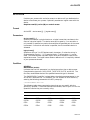
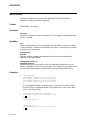
/EXTENSION=n
Specifies the number of blocks to be added to the output file each time the file is
extended. If you do not specify the /EXTENSION qualifier, the extension attribute
of the corresponding input file determines the default extension attribute of the
output file.
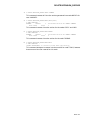
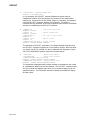
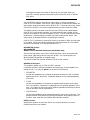
/LOG
/NOLOG (default)
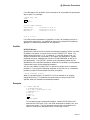
Controls whether the COPY command displays the file specifications of each file
copied.
When you use the /LOG qualifier, the COPY command displays the following for
each copy operation:
DCLI–88
•
The file specifications of the input and output files
•
The number of blocks or the number of records copied (depending on whether
the file is copied on a block-by-block or record-by-record basis)
•
The total number of new files created