1
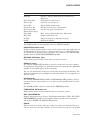
SHOW CPU
SHOW CPU
Displays the current state of the processors in an OpenVMS system.
Format
SHOW CPU [cpu-id[,...]]
Parameter
cpu-id[,...]
Specifies a decimal value representing the identity of a processor in a OpenVMS
multiprocessing system. On a VAX 6000 system or an Alpha 7000 system, the
CPU ID is the backplane slot number of the processor.
Description
The SHOW CPU command displays information about the status, characteristics,
and capabilities of the processors active in and available to an OpenVMS
multiprocessing or single-CPU system.
You identify the processors to be displayed by using either the /ACTIVE qualifier,
the /ALL qualifier, a CPU ID, or list of CPU IDs. If you specify none of these, the
SHOW CPU command uses the /ALL qualifier by default.
You identify the type of information to be displayed by using the /BRIEF, /FULL,
and /SUMMARY qualifiers. If you specify none of these qualifiers, the SHOW
CPU command assumes the /BRIEF qualifier by default; however, if you likewise
do not identify a processor or processors as the object of a command, the SHOW
CPU command assumes a default of SHOW/ALL/SUMMARY.
The SHOW CPU/FULL command lists the current process on each configured
processor without stopping other activity on the system. The current process
may change while the data is displayed. As a result, there may be apparent
inconsistencies in the display. For example, a process may be listed as the
current process on more than one CPU.
Qualifiers
/ACTIVE_SET
Selects as the subject of the display only those processors that are members of
the system’s active set.
/ALL
Selects all configured processors, active and inactive, as the subject of the display.
/BRIEF
Produces information from the summary display and also lists the current CPU
state and current process (if any) for each processor in the configuration.
/CONFIGURE_SET (Alpha only)
Selects as the subject of the display only those processors that are members of
the system’s configure set - those that are actively owned and controlled by the
current instance.
DCLII–315