1
?
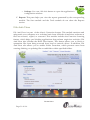
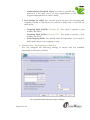
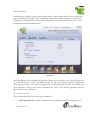
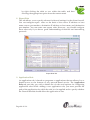
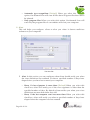
Green: It represents an allowed Web site.
?
Red: It represents a blocked Web site.
The filter categories used in this section include Pornography,
Gambling, Chat, Alcohol, Violence, Drugs, Ratings_block_category,
and Websites_Allowed. You can also add or delete filter categories
depending on your requirements.
•
•
Category: [Category name]: This section shows the Words / Phrases
list, which lists the words or phrases present in the selected category.
In addition, the section displays the Site Names list, which lists the
Web sites belonging to the selected category. You can also add or
delete filter categories depending on your requirements.
Filter Options: This section includes the Add sites rejected by the
filter to Block category check box. You should select this check box if
you need eScan to add Web sites that are denied access to the Block
category database automatically.
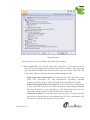
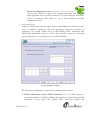
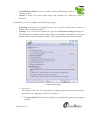
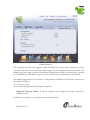
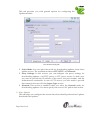
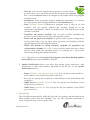
o Scanning Options: This tab helps you enable content matching and
content rating for Web site. It also helps you block images, ActiveX
controls, media components, and applications from appearing within the
browser.
•
Content Matching Options: This section allows you to configure the
settings for controlling and blocking access to Internet, based on
different criteria.
?
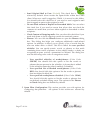
Search in Site Name: You should select this check box if you need
Web Protection to check whether the name of the Web site or its
URL contains any reserved word or phrase listed in any of the
restricted or blocked categories.
?
Search in HTML Tags: You should select this check box if you
need Web Protection to check whether any of the HTML tags used
to format the Web page contains reserve words or phrases listed in
any of the restricted or blocked categories.
?
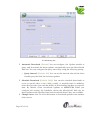
Search in Title: You should select this check box if you need Web
Protection to check the title of a Web site for any of the reserve
Page 70 of 116