1
Administering a System: Managing Disks and Files
Managing Disks
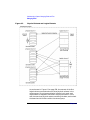
By default, LVM will assign disk space for a logical volume from one
disk, use up the space on this disk entirely, and then assign space from
each successive disk in the same manner. LVM uses the disks in the
order in which they were added to the volume group. This means that a
logical volume’s data may not turn out to be evenly distributed over all
the disks within your volume group.
As a result, when I/O access to the logical volumes occurs, one or more
disks within the volume group may be heavily used, while the others
may be lightly used, or not even used at all. This arrangement does not
provide optimum I/O performance.
As a better alternative, you can set up your logical volume on specific
disks in an interleaved manner, thus balancing the I/O access and
optimizing performance. (See “Extending a Logical Volume to a Specific
Disk” on page 352.)
Because there are no HP-UX commands that will identify that the
contents of a logical volume are being used for raw data, it is a good idea
to name the logical volumes you create for raw data with easily
recognizable names. In this way, you can recognize the contents of such a
logical volume. See “Naming Logical Volumes” on page 346 for more
information.
Using Disk I/O Interfaces
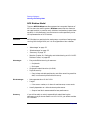
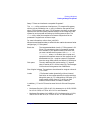
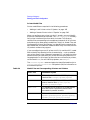
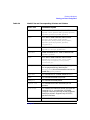
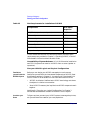
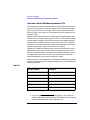
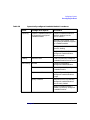
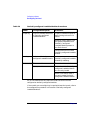
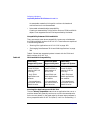
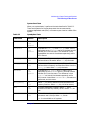
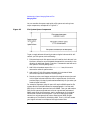
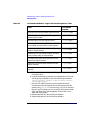
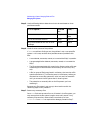
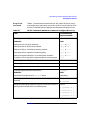
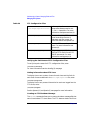
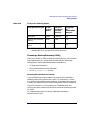
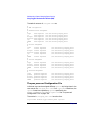
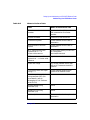
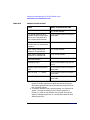
LVM supports disks that use SCSI, HP-FL, and, to a limited extent,
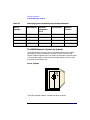
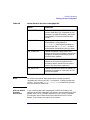
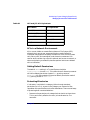
HP-IB I/O interface types, as shown in Table 6-1.
Table 6-1
Disk Interface Types and LVM Support
SCSI
HP-FL
HP-IB
Support mixing of disks with other
interface types within the same
volume group?
Yes
Yes
No
Support bad block relocation?
Yes
Yes
No
Support LVM mirroring?
Yes
Yes
No
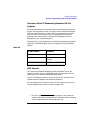
Although the table shows that mixed HP-FL and SCSI disks can belong
to the same volume group, for best performance, you should keep them in
separate groups, each containing identical model disks; that is, each
Chapter 6
343