1
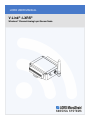
V-Link® -LXRS® Wireless Sensor Node User Manual
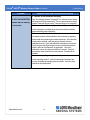
Problem
Troubleshooting
Possible cause and recommended solution
1.8 node is damaged
If all power settings and connections have been verified, and the
node is still unresponsive, contact Technical Support. See
"Technical Support" on page 60
2.1 node or gateway is turned OFF
2. COMMUNICATION
no communication
between the node and
gateway
Verify the node and gateway have power applied and applicable
power switches are on. Power is indicated on both devices by a
status indicator LED.
2.2 gateway has no communication with the computer
Verify gateway communication in the software. Check, remove
and reconnect communications and power cables, as applicable. 2.3 node has no communication with the gateway
Verify the gateway is operational and listening for nodes when the
node is powered ON. If not, activate node discovery feature and
cycle power to the node.
2.4 node is out of range
Perform a bench test with the node and gateway in close
proximity to verify they are operational. See "Optimizing the
Radio Link" on page 19 for node range test and installation
recommendations. The node has been tested to operate up to
2km from the gateway with clear line of sight.
2.5 node is not in normal start-up mode
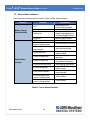
Turn the node on and watch the node device status indicator. See
"Device Status Indicators" on page 48. If the node is in another
start up mode, it can be bypassed by toggling the node ON/OFF
switch rapidly three times, then leaving it in the ON position for
normal power up. Start up mode can be changed in the software.
2.6 gateway or node is damaged
Verify all connections, power and settings. If available, try
installing alternate nodes and gateways, one at a time, to see if
the faulty device can be identified. If no conclusion can be
determined, or to send a device in for repair, contact Technical
Support. See "Technical Support" on page 60
8500-0006 Version A
46