1
Operation
5.1.4
[Diagnosis / Errors]
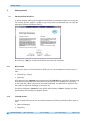
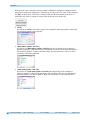
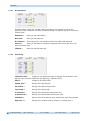
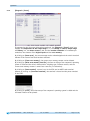
If supported by the drive type (otherwise grayed out), the [Diagnosis / Errors] menu item
displays the temperature of the output stage in °C, the voltage of control, output stage
and battery in V, the motor current in mA, and the encoder resolution in increments per
revolution, the statuses of the digital inputs and the error memory.
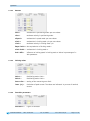
By clicking on [Reset error], the error message can be acknowledged and the switch interlock
released if the cause of the fault has been removed.
By clicking on [Clear error memory], the current error memory content can be deleted.
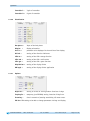
By clicking on [Write error memory into file], the Save as dialog of the computer’s operating
system is called and the drive’s characteristics including type, firmware version, and the
current error memory content is saved into a text file (.txt extension).
By clicking on [Start terminal], a pause is set in the PTDL and an ASCII code terminal
opened. By clicking on [Terminate terminal], the terminal is closed and the pause canceled
in the PTDL.
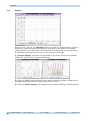
By clicking on [Print], the Printer setup of the computer’s operating system is called and the
activated window can be printed.
ProTool DriveLine
Date: 13-08-2014
Art. no. 87891
Rev. status 310/14
Page 14 of 16