1
Contents
Chapter 1: Introduction.................................................................................................... 5
Chapter 2: WiFi Wireless Router Configuration ............................................................ 7
Network Security..................................................................................................................................... 7
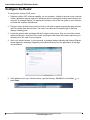
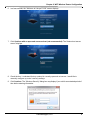
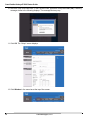
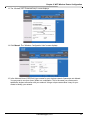
Configure the Router .............................................................................................................................. 8
Chapter 3: Connect to Your Wireless Network............................................................ 15
Establish WiFi Network Connection...................................................................................................... 15
Windows 7 ....................................................................................................................................... 15
Windows Vista ................................................................................................................................. 18
Windows XP..................................................................................................................................... 21
Optimize Your WiFi Connection............................................................................................................ 23
Chapter 4: Establish CaseViewNet Connection .......................................................... 25
Case CATalyst Setup for CaseViewNet ............................................................................................... 26
CaseViewNet Client Connection........................................................................................................... 29
Chapter 5: Troubleshooting .......................................................................................... 35
Connection Issues ................................................................................................................................ 35
Technical Support................................................................................................................................. 39
Appendix A: CaseViewNet Installation......................................................................... 41
Download CaseViewNet ....................................................................................................................... 41
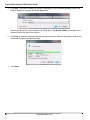
CaseViewNet Installation...................................................................................................................... 43
CaseViewNet Security .......................................................................................................................... 47
© 2012 Stenograph, L.L.C.
iii