1
(Continued)
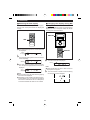
■ Erase
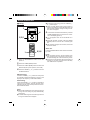
■ All Erase
(Remote control operation)
2
(Remote control operation)
2
3,4
2
3,4
2
1
1
1
H
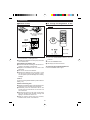
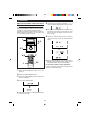
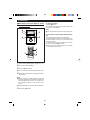
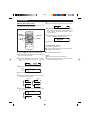
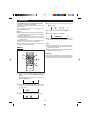
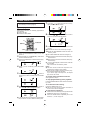
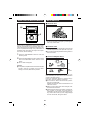
To erase tracks one at a time:
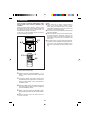
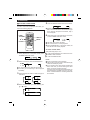
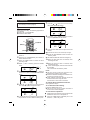
To erase all of the tracks at once:
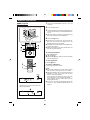
1 Whilst in the stop mode, select the track you
Press the ■ button.
● The total number of tracks and the total playing
time on an MD will appear.
1
want to erase pressing the 5 3 or 2 4
button.
Or start playing the track to be erased, and then
press the 0 6 button.
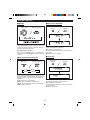
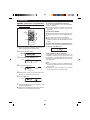
2 Press the NAME/TOC EDIT button, and within
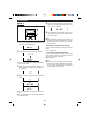
10 seconds, select “ALL ERASE” pressing the
or
button.
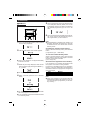
2 Press the NAME/TOC EDIT button, and within
10 seconds, select “ERASE” pressing the
or
button.
3 Within 10 seconds, press the ENTER button.
3 Within 10 seconds, press the ENTER button.
● To cancel the operation, press the ■ button.
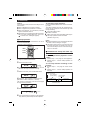
4 Press the ENTER button again.
● To cancel the operation, press the ■ button.
4 Press the ENTER button again.
● The track is erased, and the unit is stopped at
the beginning of the next track.
● All of the track numbers and track names will be
erased.
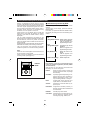
Notes:
● Once a track has been erased, it cannot be
recovered. Double-check the track number
before erasing it.
● When a track is erased, the numbers assigned
to the tracks following the erased track will be
automatically decreased by one.
● When a track is erased, the track name will be
erased at the same time.
● This function cannot be used in the random play
mode and APMS play mode.
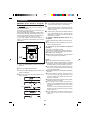
Note:
● This function cannot be used in the random play
mode and APMS play mode.
38