1
<P=002>
(Continued)
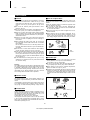
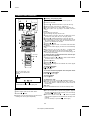
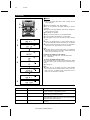
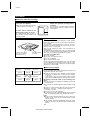
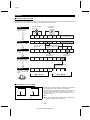
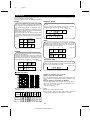
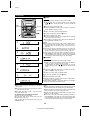
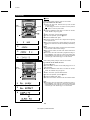
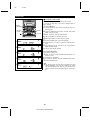
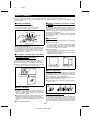
■ Removing the speaker grilles
1
2
Remove the lower part of the speaker grille first.
Remove the upper part of the speaker grille.
Caution:
When the speaker grilles are removed, the speaker diaphragms
are exposed. Make sure nothing comes into contact with the
speaker diaphragms.
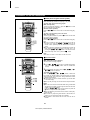
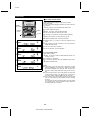
■ Mounting the speaker grilles
Fit the four posts on the speaker grille into the mounting holes
and push them lightly with the palm of your hand to secure.
,,
10 cm (4")
10 cm (4")
20 cm (8")
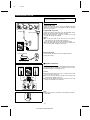
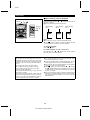
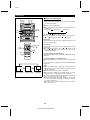
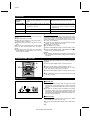
■ Placing the system
● Be sure to keep space between the units for ventilation.
● Keep the top of this unit at least 20 cm (8") away from the
wall, and the back at least 10 cm (4") away.
● Do not place the system or speakers near the television set
as the magnetic fields produced may cause irregular colours
to be displayed.
Note:
● A cooling fan is built into this product to avoid heat buildup.
When the unit starts playing or recording a MiniDisc, the cooling fan may start. When the volume level is increased, the
cooling fan may also start.
10 cm (4")
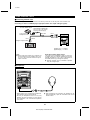
To an AC socket
To AC INPUT
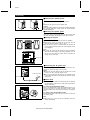
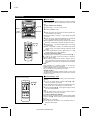
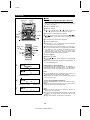
■ Connecting the AC power lead
Connect the AC power lead to the AC INPUT socket, then connect the AC power lead plug to an AC socket.
Notes:
● Unplug the AC power lead from the AC socket if the unit will
not be in use for a prolonged period of time.
● Never use a power lead other than the one supplied. Use of
a power lead other than the one supplied may cause an electric
shock or fire.
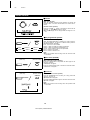
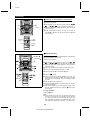
■ Demo mode
AC 230 V, 50 Hz
● When the AC power lead is first connected, the unit will enter
the demonstration mode and the words will scroll across the
display continuously.
To cancel the demonstration mode:
When in the demonstration mode, set the DEMO switch to OFF.
Then turn the power on and enter the stand-by mode to cancel
the demonstration mode and to enter the low power consumption
mode.
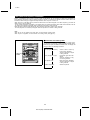
To return to the demonstration mode:
Set the DEMO switch to ON. Then turn the power on and enter
the stand-by mode.
Note:
● When the unit is in the low power consumption mode, the
display will disappear.
7
MD-C2H(SUK) TINSE0238AWZZ