1
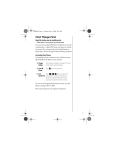
m3cdv_us.bk : browse.fm5 Page 64 Tuesday, May 2, 2000 5:59 PM MiniBrowser Navigation If you know the keys to navigate your phone’s other features, then you already have a head start at navigating with the MiniBrowser. Scrolling and Selecting When browsing, you will see a list of options on the phone’s display. Each of the items on the list is assigned a number. Just press the matching numeric key to select that item. Or you can scroll to the item with the volume keys and use the Smart Button to select. English 6 Web Sites 7 EMail 8 To-Do List OK Inbox Press the key matching the number of the list item. In the above example, press à for Email. Scroll Press q or z to scroll up and down the page. You can also use Ç or È. Above, press z once to scroll to Email, twice to scroll to To-Do List. Select Press a or the left soft key (see the next page) to select the highlighted item. Above, press a to select Web Sites. Go Back One Page While navigating, press D to return to the previous page. Stop When sending and receiving data, press D to interrupt transmission. Using the MiniBrowser MiniBrowser Navigation Soft Keys In addition to the familiar keys for scrolling and selecting, the MiniBrowser uses “soft keys.” Soft keys are keys that change their function according to the screen. Read the lower line of the display (above the indicators) to find out what the soft keys can do on that screen. Options Select Item 64 Press and hold D to return to your home page. You will see two functions, one on the left and one on the right, each with an icon: 12 25 Scroll bar (more options up and down) Return to Home 12 25 Press å for left soft key 6 Web Sites 7 EMail 8 To-Do List OK Inbox Press à for right soft key Left Soft Key Press å to choose the option on the left. In the above example, press å to select OK and accept the highlighted option: Web Sites. You can also press a to select the left option. Right Soft Key Press à to choose the option on the right. In the above example, press à to select Inbox.