1
How to Enter Alphabetic Characters
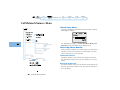
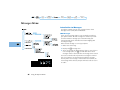
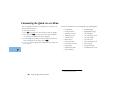
When you see the prompt Enter Name or when you are creating
or editing an SMS message, you can use the digit keys, 0
through 9, to produce any character in the alphabet and
various symbols for punctuation.
For example, the 5 key can produce J, K, L or 5. One press
of 5 creates a J. A second press produces a K. Another press
will display L, and another will display 5. Your phone will
continue to scroll through the characters available on the selected
key with each new key press.
A long press of any of the keys will switch all characters to lower
case. A second long press will switch them back to upper case.
To enter the next character, press the appropriate key. If, however,
the next character is on the same key as the previous character
you will first need to press #. Pressing # a second time
will produce a space.
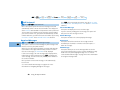
If you make a mistake, you can go back to the incorrect character
by pressing *.
Characters can be removed from the display by pressing C.
The character before the cursor ( | ) is the character which will be
deleted.
When you are finished, press O to store the information.
34
Using the Options Menu
Available Characters
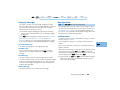
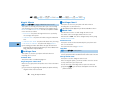
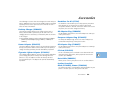
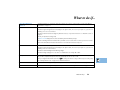
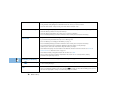
Press the appropriate keys to get the following characters:
1
1 Space . ? ! , Ÿ
& : " ( ) ' % ¢ ` @
1 Space . ? ! , Ÿ
& : " ( ) ' % ¢ ` @
2
A B C 2 ± È
a b c 2 ± È
3
D E F 3 ¿ ¤
d e f 3 ¥ ¤
4
G H I 4 §
g h i 4 §
5
J K L 5
j k l 5
6
M N O 6 ] ¨
m n o 6 } ¨
7
P Q R S 7
p q r s 7
8
T U V 8 ^ Ω
t u v 8 ~ Ω
9
W X Y Z 9
w x y z 9
0
0 + - x * / = > < #
0 + - x * / = > < #
The top line for each key shows the upper case characters.
The lower line shows the lower case.