1
TDMA.book Page 74 Friday, April 7, 2000 4:45 PM
2. Press
to toggle between Keypad Tone On
and Keypad Tone Off.
3. Press º to exit, or scroll to other features.
Turning Scratchpad Tones On
and Off
Scratchpad tones are the tones that your phone
sends to access automated calling systems like
Voice Mail. By default, scratchpad tones are turned
on. If you don’t want your party to hear these
sounds when you use the scratchpad, turn the
scratchpad tones off.
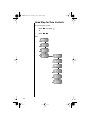
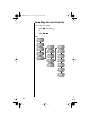
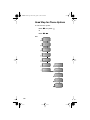
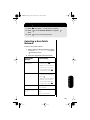
1. Follow the steps in the ”Getting to Tone
Controls…” block to select Scratchpad Tone.
You will see Scratchpad Tone On or
Scratchpad Tone Off.
2. Press
to toggle between Scratchpad Tone
On and Scratchpad Tone Off.
3. Press º to exit, or scroll to other features.
Note: If you turned the scratchpad tones off but
want to access a tone-activated system like Voice
Mail, place the call, enter the numbers you need to
transmit, then:
Press ‰
74
æ to send the tones.