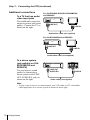
1
After setting the channels, you can change the programme positions as you like. If
any programme positions are unused or contain unwanted channels, you can disable
them.
Getting Started
Changing/disabling programme
positions
You can also change the station names. If the station names are not displayed, you
can enter them manually.
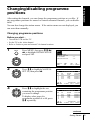
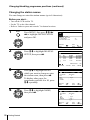
Changing programme positions
Before you start…
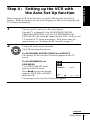
• Turn on the VCR and the TV.
• Set the TV to the video channel.
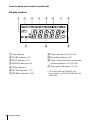
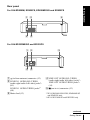
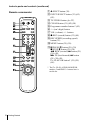
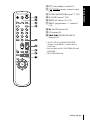
• Refer to “Index to parts and controls” for button locations.
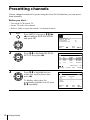
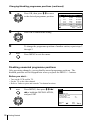
1
MENU
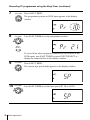
Press MENU, then press M/m/</
, to highlight INSTALLATION
and press OK.
AUTO SET UP
MANUAL SET UP
TV SYSTEM
VCR OUTPUT CH
:G
:32
PLAY
OK
SELECT
END
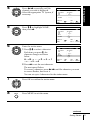
2
PLAY
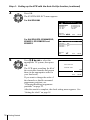
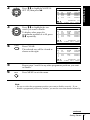
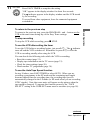
Press M/m to highlight MANUAL
SET UP, then press ,.
CH
027
029
030
032
DELETE
3
PLAY
OK
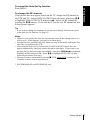
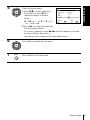
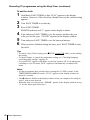
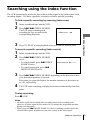
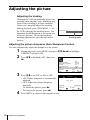
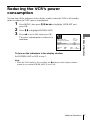
Press M/m to highlight the row
containing the programme position
you want to change.
To display other pages for
programme positions 6 to 80, press
M/m repeatedly.
SET
EXIT
:
: MENU
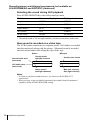
TV STATION TABLE
PR
1
2
3
4
5
OK
:
: OK
NAME
AAB–
L MN –
CDE –
I J K–
SYSTEM
B/G/D/K
B/G/D/K
B/G/D/K
B/G/D/K
SWAPPING : OK
: CLEAR
EXIT : MENU
TV STATION TABLE
PR
1
2
3
4
5
CH
027
029
030
032
DELETE
NAME
AAB–
L MN –
CDE –
I J K–
SYSTEM
B/G/D/K
B/G/D/K
B/G/D/K
B/G/D/K
SWAPPING : OK
EXIT : MENU
: CLEAR
continued
Getting Started
25