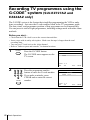
1
3
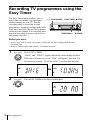
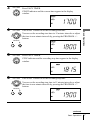
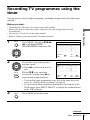
Press OK.
PR
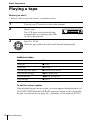
PLAY
OK
INPUT
SELECT
CLEAR
PLAY
OK
5
6
MENU
START
STOP
SP
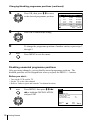
If you want to change the date and
tape speed:
1 Press </,, to select the item
you want to change.
2 Press M/m to reset it.
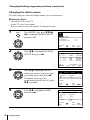
To record the same programme
every day or the same day every
week, see “Daily/weekly
recording” on page 44.
PR
35
––
––
––
––
––
DAY
SA2
–––
–––
–––
–––
–––
SELECT
END
9
–
–
–
–
–
START
19 :00
–– :––
–– :––
–– :––
–– :––
–– :––
:
: OK
STOP
20 :0
–– :–
–– :–
–– :–
–– :–
–– :–
SET
EXIT
0
–
–
–
–
–
Basic Operations
4
DAY
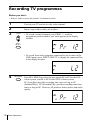
3 5 SA2 9 1 9 : 0 0 2 0 : 0 0
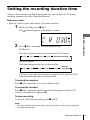
The date, start and stop times and
–– –––– –– :–– –– :–––
–– –––– –– :–– –– :–––
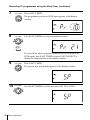
tape speed appear on the TV screen.
–– –––– –– :–– –– :–––
–– –––– –– :–– –– :–––
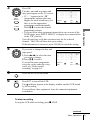
• If “– –” appears in the “PR”
–– –––– –– :–– –– :–––
(programme) column (this may
SELECT :
SET
:
happen for local broadcasts), you
EXIT : MENU
END
: OK
have to set the appropriate
programme position manually.
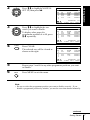
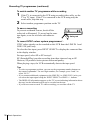
Press M/m to select the desired
programme position.
• To record from other equipment connected to one or more of the
LINE inputs, press INPUT SELECT to display the connected line
in the “PR” position.
You will only have to do this operation once for the referred
channel. The VCR will then store your setting.
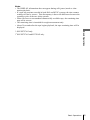
If the information is incorrect, press CLEAR to cancel the setting.
SP
–
–
–
–
–
:
: MENU
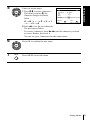
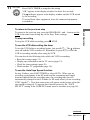
Press MENU to exit the menu.
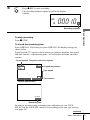
Press ?/1 to turn off the VCR.
The indicator appears in the display window and the VCR stands
by for recording.
To record from other equipment, leave the connected equipment
switched on.
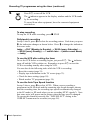
To stop recording
To stop the VCR while recording, press x STOP.
continued
Basic Operations
43