1
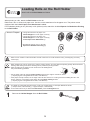
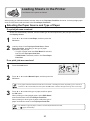
Loading Rolls in the Printer
5
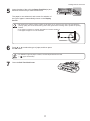
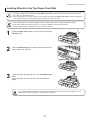
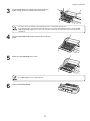
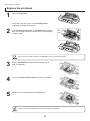
Insert the edge of the roll in the Paper Feed Slot (a) and
advance the roll until you hear the feed tone.
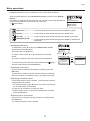
The paper is now advanced, and a menu for selection of
the type of paper is automatically shown on the Display
Screen.
a
a
• Be careful not to soil the printing surface of roll paper as you insert it in the slot. This may affect the
printing quality. We recommend wearing clean cloth gloves when handling rolls to protect the printing
surface.
• If the paper is wrinkled or warped, straighten it out before loading it.
• Load paper straight so it is not fed askew.
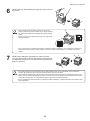
6
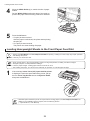
Press ▲ or ▼ to select the type of paper, and then press
the OK button.
• For details on types of paper to select, see the Paper Reference Guide.
(→ , Types of Manuals)
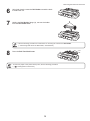
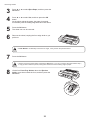
7
Close the Roll Feed Unit Cover.
17