1
Web Access
3.1.5
The Scheduled Tasks Tab
The Scheduled Tasks tab lets you set a weekly schedule. The schedule can be
configured either via the K-Config software 1 or directly via Web Access.
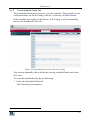
If the schedule was written to the device via K-Config, it will automatically
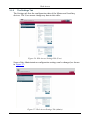
show in the Scheduled Tasks tab:
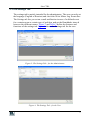
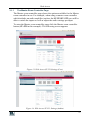
Figure 20: Scheduled Tasks Tab as Set in K-Config
You can also manually edit or delete the existing scheduled tasks and create
new ones.
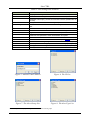
To write the scheduled tasks, do the following:
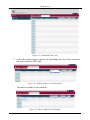
1. Select the Scheduled Tasks tab.
The following screen appears:
1 The schedule appears in the Scheduled Tasks tab
15