1
Contents
Contents
How to Use the Online Manual
How to Control the Online Manual
How to Print Out the Online Manual
Maintenance
1
1
Printer Properties
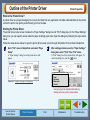
Outline of the Printer Driver
2
What is the Printer Driver?
Starting the Printer Driver
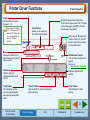
Printer Driver Functions
"Paper Settings" Dialog Box
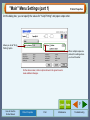
"Main" Menu Settings
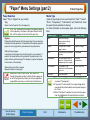
"Paper" Menu Settings
"Advanced" Menu Settings
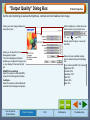
"Output Quality" Dialog Box
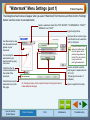
"Watermark" Menu Settings
"Version" Menu Settings
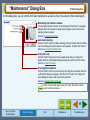
"Maintenance" Dialog Box
3
4
7
9
12
13
14
16
17
Print
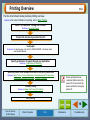
Printing Overview
Using the Chooser
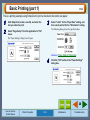
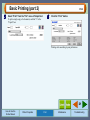
Basic Printing
Printing a Watermark
18
19
20
22
How to Print a Watermark
Enlarge/Reduce the Printed Image
23
Automatic Zooming to the Loaded Paper
Printing Multiple Pages on One Page
24
"2-Up" Printing
"4-Up" Printing
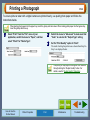
Printing a Photograph
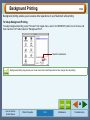
Background Printing
25
26
To Setup Background Printing
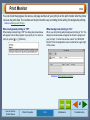
Print Monitor
Print Monitor Functions
27
28
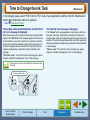
Time to Change the Ink Tank
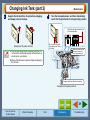
Changing Ink Tank
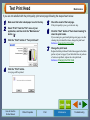
Test Print Head
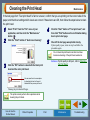
Cleaning the Print Head
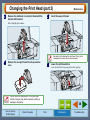
Changing the Print Head
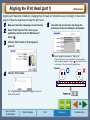
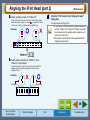
Aligning the Print Head
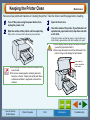
Keeping the Printer Clean
29
30
33
34
35
38
40
Troubleshooting
Identifying Printer Problems
Paper is not Fed into the Printer
Paper Jam
Printer Inoperative
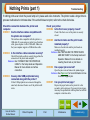
Nothing Prints
41
42
44
45
46
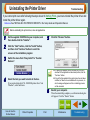
Uninstalling the Printer Driver
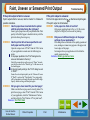
Faint, Uneven or Smeared Print Output
Characters or Graphics are not Printed in Correct Position
Printed Lines are not Straight, or Have Blank Spaces
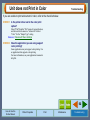
Unit does not Print in Color
Printing is too Slow
49
50
51
52
53