1
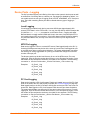
6: Basic Parameters
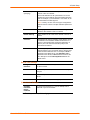
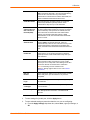
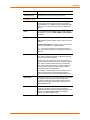
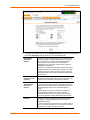
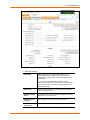
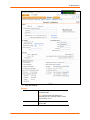
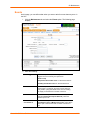
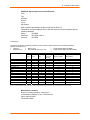
Gateway
Default
IP address of the router for this network.
If this has not been set manually, any gateway acquired by
DHCP for Eth1 or Eth2 displays.
All network traffic that matches the Eth1 IP address and
subnet mask is sent out Eth1. All network traffic that
matches the Eth2 IP address and subnet mask is sent out
Eth 2.
If you set a default gateway, any network traffic that does
not match Eth1 or Eth2 is sent to the default gateway for
routing.
DHCP-Acquired
Gateway acquired by DHCP for Eth1 or Eth2.
(view only)
GPRS-Acquired
(view only)
Displays the IP address of the router if it has been
automatically assigned by General Packet Radio Service
(GPRS).
Precedence
Indicates whether the gateway acquired by DHCP or the
default gateway takes precedence. The default is DHCP
Gateway. If the DHCP Gateway is selected and both Eth1
and Eth2 are configured for DHCP, the SLC gives
precedence to the Eth1 gateway.
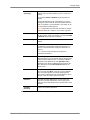
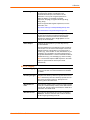
Alternate
An alternate IP address of the router for this network, to be
used if an IP address usually accessible through the
default gateway fails to return one or more pings.
IP Address to Ping
IP address to ping to determine whether to use the
alternate gateway.
Ethernet Port to
Ping
Ethernet port to use for the ping.
Delay between
Pings
Number of seconds between pings
Number of Failed
Pings
Number of pings that fail before the SLB uses the alternate
gateway.
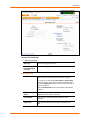
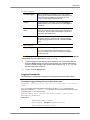
Enable IP
Forwarding
IP forwarding enables network traffic received on one
interface (Eth1, Eth2, or an external/PC Card modem
attached to the SLC with an active PPP connection) to be
transferred out another interface (any of the above). The
default behavior (if IP forwarding is disabled) is for network
traffic to be received but not routed to another destination.
Enabling IP forwarding is required if you enable Network
Address Translation (NAT) for any device port modem or
PC Card/ISDN modem. IP forwarding allows a user
accessing the SLC over a modem to access the network
connected to Eth1 or Eth2.
SecureLinx SLC User Guide
44