1
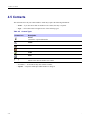
4.7.11.3 Setting Rotary Knob Wrap Around
3
Select one of the following:
•
•
•
•
Lock None — Scrolling and volume setting functionality is available.
Lock Volume — VOLUME KNOB can be only used for scrolling.
Lock Scroll — TALKGROUP KNOB can be only used for setting the volume.
Lock Both — Scrolling and volume setting functionality is unavailable.
4.7.11.3 Setting Rotary Knob Wrap Around
Procedure Steps
1
From the home screen, press MENU key.
2
Select Setup → Rotary Knob → Wrap Around.
3
Select one of the following:
• On — Scrolling through the talkgroup list stops after reaching first or last talkgroup in the current
selected folder.
• Off — Scrolling through the talkgroup list is looped or is moved to the next folder.
Only when Wrap Around is set to On and the Scroll Range is set to Scroll To Next, you are able
to scroll through all the talkgroups and folders.
4.7.11.4 Setting Rotary Knob Scroll Range
Procedure Steps
1
From the home screen, press MENU key.
2
Select Setup → Rotary Knob → Scroll Range.
3
Select one of the following:
• Stay In Range — Scrolling through the talkgroups in the current folder only.
• Scroll To Next — Scrolling through all the talkgroups and folders.
Only when Wrap Around is set to On and the Scroll Range is set to Scroll To Next, you are able
to scroll through all the talkgroups and folders.
4.7.11.5 Setting Rotary Knob Talkgroup Selection
Procedure Steps
1
-
From the home screen, press MENU key.
4-43