1
Feature User Guide
Set Volume
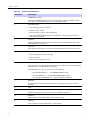
5.7.5.2 Setting Volume Adjustment Mode
Procedure Steps
1
From the home screen, press MENU key.
2
Select Setup → Audio → Volume Adj. Mode.
3
Select one of the following:
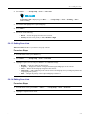
• Individual — You can set Duplex, Simplex, Earpiece, Speaker and Keypad per your preferences
in MENU → Setup → Set Volume.
• Common — You can set one value for all the items in MENU → Setup → Set Volume.
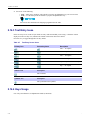
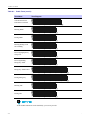
Setting Volume
5.7.6 Tones
This menu item allows you to activate/deactivate your radio tones.
5.7.6.1 Keypad Tone
You can activate/deactivate keypad tone at every key press.
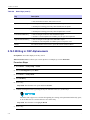
5.7.6.2 Setting Keypad Tone
Procedure Steps
1
From the home screen, press MENU key.
2
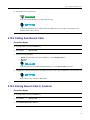
Select Setup → Tones → Keypad Tone.
3
Select one of the following:
• On — Activates keypad tone.
• Off — Deactivate keypad tone.
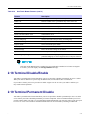
5.7.6.3 All Tones
You can activate/deactivate all tones.
5-26
-