1
Feature User Guide
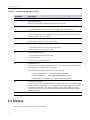
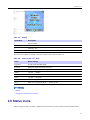
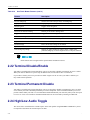
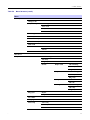
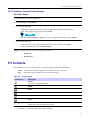
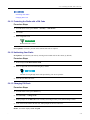
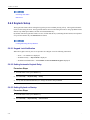
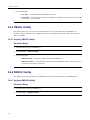
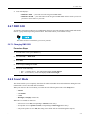
Table 2-7
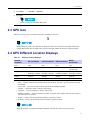
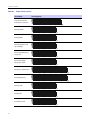
Status Icons
Icon
Description
Trunked Mode Operation
Signal Strength (TMO) — Allows you to check signal strength. More bars indicate a
stronger signal.
No Service
Migration — Displayed when your radio is registered to the foreign network.
Broadcast Call — Displayed when the radio is in the Broadcast Call.
Scan — Indicates talkgroup scanning is activated in the radio.
Data Connected — Displayed when the Packet Data feature is activated and the external
device sets up data connection with the radio.
Data Transmit/Receive — Displayed when the Packet Data feature is activated and the
external device sets up data connection with the radio.
• No number — standby data session.
• Number 1, 2, 3, or 4 — indicates active data session with 25%, 50%, 75%, or 100%
bandwidth.
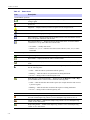
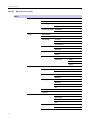
Direct Mode Operation
Signal Strength (DMO) — Indicates an incoming Direct Mode Group Call.
Direct Mode — Displayed when the radio is in Direct Mode.
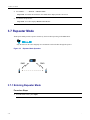
Repeater Mode — Displayed when the radio is switched to work as a repeater in Repeater
Mode.
DMO Gateway Communication Mode — Indicates that gateway is selected. The icon
has the following states:
• Solid — while the radio is synchronized with the gateway.
• Blinking — while the radio is not synchronized or during attachment.
• No icon — during a radio to radio and repeater call.
DMO Repeater Communication Mode — Displayed when the Repeater or GW + Rep
option in DMO Mode is selected. This icon has the following states:
• Solid — while the radio has detected the repeater (for example when the radio receives
a presence signal).
• Blinking — while the radio has not detected the repeater or during attachment.
• No icon — during a radio to radio and gateway call.
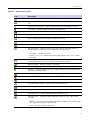
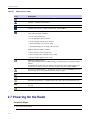
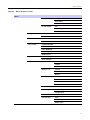
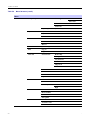
General Icons
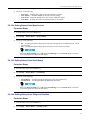
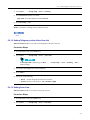
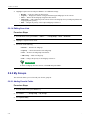
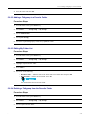
All Tones Off/Duplex and Simplex Ring Muted — Indicates that all alert tones are off in
the radio or both simplex ring volume is set to 0 and duplex ring volume is set to 0.
Simplex Ring Muted — Indicates that simplex ring volume is set to 0 and duplex ring
volume is set to more than 0.
Duplex Ring Muted — Indicates that duplex ring volume is set to 0 and simplex ring
volume is set to more than 0.
2-10
-