1
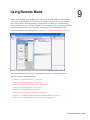
Remote mode is familiar to GroupWise® users who use Hit the Road. Similar to Caching mode, a
copy of your network mailbox, or the portion of the mailbox you specify, is stored on your local
drive. You can retrieve and send messages on a periodic basis with the type of connection you
specify (modem, network, or TCP/IP). If you do not want a complete copy of your network mailbox,
you can restrict what is retrieved, such as only new messages or only message subject lines.
9
For more information about Caching mode, see Chapter 10, “Using Caching Mode,” on page 279.
Your system administrator can specify settings that do not allow you to use Remote mode.
This section contains the following topics:
• Section 9.1, “Remote Password,” on page 262
• Section 9.2, “Remote Requests,” on page 262
• Section 9.3, “Remote Connection Types,” on page 262
• Section 9.4, “Remote Features,” on page 262
• Section 9.5, “Smart Docking,” on page 262
• Section 9.6, “Preparing to Use Remote,” on page 263
• Section 9.7, “Sending and Retrieving Items in Remote Mode,” on page 267
• Section 9.8, “Configuring Your Remote Connections,” on page 273
Using Remote Mode 261
novdocx (ENU) 01 February 2006
Using Remote Mode
9