1
Job Tracking Setting
Note:
Before performing this setup, you first need to register the destination Email address in the address book. Furthermore,
change the setting of the Fax Forward (Fax Parameter No. 54, Fax Forward) parameter to Invalid.
The Job Tracking Setting is enabled when the Copy, Fax / Email, Scan, or Printer is selected on the Authentication
Setting (see page 12).
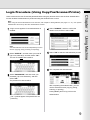
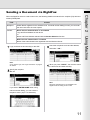
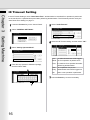
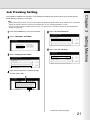
Press the Function key on the Control Panel.
Select "01 Fax Parameters".
Chapter 3
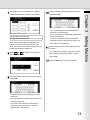
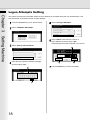
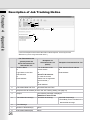
This enables or disables Job Tracking. If Job Tracking is enabled, also set the type of log to record and the
Email address to which it is to be sent.
Setting Machine
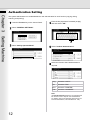
Select "FAX/EMAIL SETTINGS".
Select "131 Job Tracking".
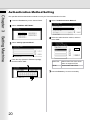
Select "04 Key Operator Mode".
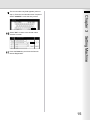
Enter the Key Operator's password (8-digit),
and then select "OK" .
Continued on the next page...
21