1
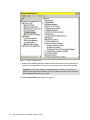
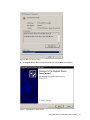
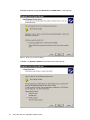
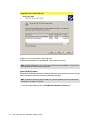
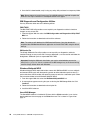
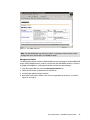
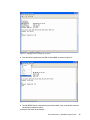
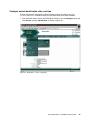
Important: When the servers are first switched on they will launch the Found New Hardware wizard application. Cancel out of this wizard. Installation of the HBAs is covered in the next section. Download and install software The next step is to download and install the latest software for each component from the IBM storage Web site: http://ibm.com/storage/support/san The software necessary for this implementation is: HBA drivers Latest DS400 firmware IBM Diagnostic and Configuration Utility FAStT MSJ or SANsurfer Pro Windows Multipath MPIO ServeRAID™ Manager Management Station Note: Designate one server as the management server for the storage. All software should be downloaded and installed to the management server, except the HBA drivers, which will be installed on both servers. Do not immediately install the software after download. Some software is installed later in the process. HBA drivers (Windows 2000) After powering on the servers the HBAs will be recognized and the New Hardware Found wizard will open. Cancel out of this process. Follow these instructions to install the HBA drivers: 1. From the support Web site select the link for HBA drivers. 2. A message box appears warning that you are leaving the IBM Storage Web site. Click Continue. 3. Follow the instructions to download the file. 4. Unzip the file contents into a temporary directory. 5. Run the Install.exe file. The HBA drivers will automatically install. 6. From the desktop, go to My Computer → Manage, and select Device Manager (see Figure 1 on page 4). Entry SAN Switches: SAN16M-2 Implementation 3