1
Appendix G: - Siemens Import
Appendix G: Siemens Import
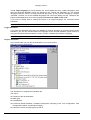
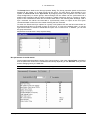
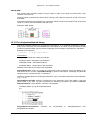
In the 'Project' 'Siemens Import' submenu, you will find commands which allow you to import POUs
and variables from Siemens STEP5 files. The command "Import from a SEQ symbol file" allows you to
import global variables from STEP5 symbol files. Run this command before either the command
'Import from a S5 project file' so that readable symbol names can be created when the POUs are
imported. These two commands allow you to import POUs from STEP5 program files. When this
done, the POUs are inserted into the open CoDeSys project. You can select whether the POUs will
remain in the STEP5 IL language or be converted to an IEC language.
We recommend that the CoDeSys project into which you are importing be empty. Of course, you must
be certain that the library standard.lib is linked to your project, otherwise you will be unable to import
the counter and the timer.
10.26 Import from a SEQ Symbol File
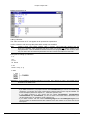
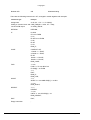
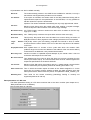
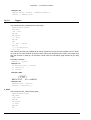
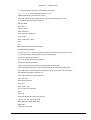
SEQ format is a common format for symbol files in a STEP5 project. Symbol assignments can be read
from SEQ symbol files (*.seq). A symbol assignment contains an absolute address for a S5 program
element (input, output, memory location, etc.), a corresponding symbol identifier and may also contain
comments about the symbol. A SEQ file is text file that contains one assignment of this type per line.
Each of the "Fields" in the line are separated by Tabs. Also each line can only hold one comment
which must begin with a semicolon.
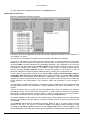
The symbol assignments in the SEQ file will be translated into global variable declarations based on
IEC 61131-3. The symbolic name, the address and the comment (if available) will be transferred
during this process. The address will be adapted to IEC 61131-3 (Percent sign, etc.). Since a S5
symbol name can contain characters that are not permitted in an IEC identifier, the names will be
changed if necessary. Invalid characters will be replaced by the underscore character. Should there
be more than one underscore character in a row, every second one would be replaced by a valid
character (e.g., "0"). If a symbol name is changed during the conversion, the original name will be
added in a comment after the change. SEQ comment lines will be transferred as comments. Multiple
blocks of global variables can be created. Each block consists of less than 64K of text.
The SEQ format described is used in Siemens STEP5-PG Software, in most versions of the Siemens
STEP7-300/400 and in ACCON-PG from DELTALOGIC. This format is supported in STEP7-SEQ files
created in version 3.x or better. STEP7 version 2.x can export a different SEQ format that is not
supported. Instead of using separators (Tabs), it is based on a fixed length for the symbolic name and
uses blanks if necessary.
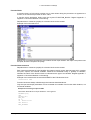
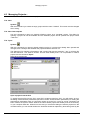
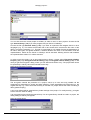
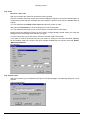
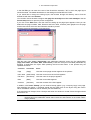
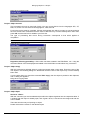
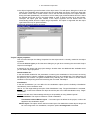
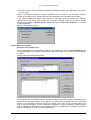
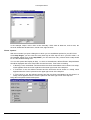
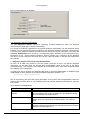
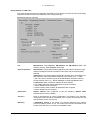
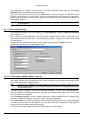
You first select the SEQ file in a standard Windows dialog box. Then perform the import, when this is
done the global variable list will be compiled. Errors may arise during this process when STEP5/7
identifiers are converted into IEC61131-3 compatible identifiers. For example, both STEP5 identifiers
"A!" and "A?" would be converted into the IEC identifier "A_". At this point the following message
would appear, "Multiple declarations with the same identifier A_". Change one of the variables.
Under absolutely no other circumstances should you make any changes to the global variable list. If
you identify addresses that are valid in a Siemens PLC but are invalid in your Controller: Leave them
alone for now, even if you get a thousand error messages while compiling. The addresses are needed
exactly as they are in order to import the POUs.
If the project into which you are importing already contains a declaration for a global variable x with its
address (e.g., "%MX4.0"), you may find that the SEQ import contains a variable defined with the same
address. This is allowed in IEC 61131-3 but is generally not in the best interest of the user. No error
message will appear, but your program may not function as it should since the address will be used in
different POUs with no contextual reference. To avoid this problem, it is best to import into an empty
project or into a project in which no absolute addresses have been used up to this point.
STEP5/7 Program Organization Units can be imported, once the SEQ import has been performed.
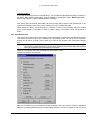
You can also add the inputs and outputs that will be used in the PLC Configuration. These are not
required for the STEP5/7 import but the addresses will be checked and may show up as errors when
you rebuild the project.
CoDeSys V2.3
10-79