1
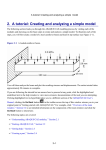
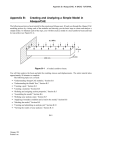
EXAMPLE: CREATING A MODEL OF AN OVERHEAD HOIST WITH ABAQUS/CAE
For the overhead hoist example, you will perform the following tasks:
•
•
•
•
•
•
•
•
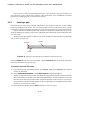
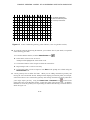
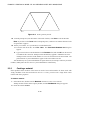
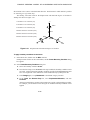
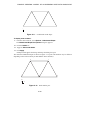
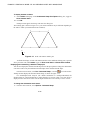
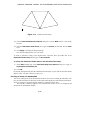
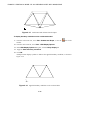
Sketch the two-dimensional geometry and create a part representing the frame.
Define the material properties and section properties of the frame.
Assemble the model.
Configure the analysis procedure and output requests.
Apply loads and boundary conditions to the frame.
Mesh the frame.
Create a job and submit it for analysis.
View the results of the analysis.
A Python script for this example is provided in “Overhead hoist frame,” Section A.1, in the online
version of this manual. When this script is run in ABAQUS/CAE, it creates the complete analysis model
for this problem. Run the script if you encounter difficulties following the instructions given below or if
you wish to check your work. Instructions on how to fetch and run the script are given in Appendix A,
“Example Files.”
As noted earlier, it is assumed that you will be using ABAQUS/CAE to generate the model.
However, if you do not have access to ABAQUS/CAE or another preprocessor, the input file that
defines this problem can be created manually, as discussed in “Creating an input file,” Section 2.3 of
Getting Started with ABAQUS/Standard: Keywords Version.
2.3.1
Units
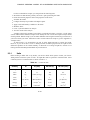
Before starting to define this or any model, you need to decide which system of units you will use.
ABAQUS has no built-in system of units. All input data must be specified in consistent units. Some
common systems of consistent units are shown in Table 2–1.
Table 2–1
Consistent units.
Quantity
SI
SI (mm)
US Unit (ft)
US Unit (inch)
Length
m
mm
ft
in
Force
N
N
lbf
lbf
tonne (10 kg)
slug
lbf s2 /in
s
s
s
Mass
kg
Time
s
3
2
2
2
Stress
Pa (N/m )
MPa (N/mm )
lbf/ft
Energy
J
mJ (10−3 J)
ft lbf
Density
kg/m
3
tonne/mm
3
2–13
psi (lbf/in2 )
in lbf
3
slug/ft
lbf s2 /in4