1
Generating a PROM programming file
The Flash Proms on HERON-FPGA and HERON-IO modules are programmed via the JTAG chain,
using a Xilinx Parallel Cable (version III or IV -- but if you have an ES ‘xcf08p’ part, you can only use
IV). As part of your Xilinx tools there will be a utility called ‘iMPACT’ that is used to program a device.
The ‘iMPACT’ utility uses MCS files (extension ‘.mcs’) and in some case CFI files (extension ‘.cfi’).
Xilinx tools before 6.0 will only create MCS files, Xilinx tools version 6.0 and later can optionally also
create CFI files. HERON modules with a ‘xc18v04’ PROM part only use a MCS file, HERON
modules with a ‘xcf08p’ PROM part also need a CFI file, to have the PROM device programmed.
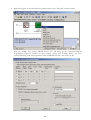
These files are generated by the Xilinx ‘PROM File Formatter’ after the *.rbt file has been generated.
The sequence to generate the files is slightly different between ISE 6.x, ISE 5.x, ISE 4.2 and ISE 4.1.
The following sections discuss how to generate the necessary files for each of the ISE design tools.
ISE 7.x
For this example, we will assume that we want to program the Example1' bit-stream into the PROM of
the FPGA module.
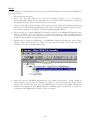
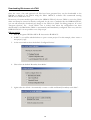
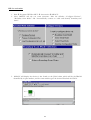
1. Start Project Navigator.
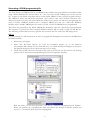
2. Select ‘File Æ Open Project’. To load the Example1 project, go to the directory
dir\example1\ISE (where dir is the local directory you copied the FPGA examples to) and open
the appropriate project file for the board type you are using.
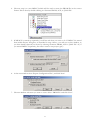
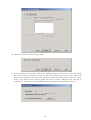
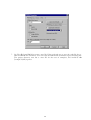
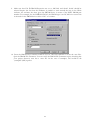
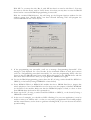
3. Check that ‘CCLK’ has been selected for the start-up clock (this can be found in the ‘Startup
options’ tab of the Generate Programming File Process Properties window).
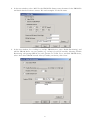
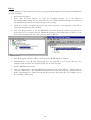
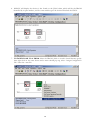
With this done, you can then generate a *.rbt file by “Generate Programming File Æ Run”.
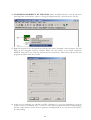
When you generate the *.rbt bitstream, make sure that in the ‘Sources in Project’ window the
‘top-rtl (..\..\Common\TOP.vhd)’ line is highlighted.
3