1
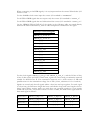
Below the package section, you will see the User_Ap1's VHDL code.
This is where you will insert your own code when you make your own design.
We provide a system which is built in such a way that the user should not need to edit any
other file than User_Ap (and the entities that this module instantiates).
In particular, the user should NOT modify the HE_* files,
even when creating new designs for the FPGA.
Setting up the Configuration Package
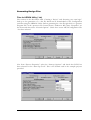
At the top of the file USER_APx.VHD (where x indicates the example number) there are
settings that you can change to affect your design (in this case the example). The idea is that
settings that are often changed are found here.
1. Divide External Clock by 2
The example uses the 100MHz oscillator that is fitted to Osc3 of the module. It generates
the FIFO clock either directly from this 100MHz, or divides it by 2 to generate a 50MHz
FIFO clock. Unfortunately the HEPC8 module carrier cannot support a clock as high as
100MHz, and the HEPC9 carrier cannot support a clock as low as 50MHz.
Set this parameter to "True" if you want to divide the external clock by two and use this as
your main Clock.
If you are using an HEPC8 carrier board, set DIV2_FCLK to "True".
If you are using an HEPC9 carrier board, set DIV2_FCLK to "False".
2. FIFO Clocks
You must decide whether you will have a single common clock for driving the input and
output FIFOs. Normally a design is simpler if the same clock is used for input and output
FIFOs, but the module design allows you to use different frequencies or phases if that is
more convenient for the design of your system. Whether you use a common clock or
separate clocks will affect your design, but it also affects the use of clocks in the Hardware
Interface Layer.
Set FCLK_G_DOMAIN to True if you have the same clock driving both FIFOs.
This is the default option for the Examples. If you are unsure, select this choice.
Then, you must know whether your clocks are running slower than 60 MHz or not. This is
the frequency that you connect to the SRC_FCLK_G in your design.
Set HIGH_FCLK_G to True if your global clock is running at 60 MHz or above. In this
case an HF DLL will be used in the FIFO clocks to ensure the proper timing.
Set HIGH_FCLK_G to False otherwise. In this case the HF DLL does not work, and an
LF DLL is necessary.
Set FCLK_G_DOMAIN to False is you have a different clock driving each Fifo.
This option should be reserved to advanced users familiar with the management of multiple
clock domains systems.
Then, you must know whether each of your clocks are running slower than 60 MHz or not.
These are the frequencies that you connect to the SRC_FCLK_RD and SRC_FCLK_WR in
your user_ap.
20
HUNT ENGINEERING HERON-FPGA9 USER MANUAL