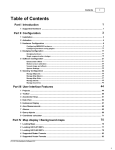
1
2
Eye4Software Hydromagic
9 Projecting
...................................................................................................................................
Waypoints
84
10 Adding
...................................................................................................................................
comments to the map
87
11 Adding
...................................................................................................................................
photos to the map
91
12 Creating
...................................................................................................................................
Boundaries
95
13 Cross...................................................................................................................................
Sections
98
14 Cross
...................................................................................................................................
Sections from CAD
101
15 Channel
...................................................................................................................................
Design
105
Part V Singlebeam Soundings
112
1 Creating
...................................................................................................................................
a new singlebeam sounding
112
2 RTK...................................................................................................................................
Tides
115
3 Exporting
...................................................................................................................................
soundings
120
4 Importing
...................................................................................................................................
Soundings
122
5 Importing
...................................................................................................................................
Soundings from NMEA0183 log
124
6 Playback
...................................................................................................................................
Soundings
126
Part VI Singlebeam Processing
129
1 Edit ...................................................................................................................................
singlebeam soundings
129
2 Singlebeam
...................................................................................................................................
Editor
132
3 Echogram
...................................................................................................................................
Editor
137
4 Filter
...................................................................................................................................
Soundings
138
5 Apply
...................................................................................................................................
Offsets
141
6 Tide...................................................................................................................................
Correction
145
Part VII Post Processing
150
1 Generate
...................................................................................................................................
and Display Matrix
150
2 Generate
...................................................................................................................................
Matrix from Sections
155
3 Generate
...................................................................................................................................
Matrix from CAD
158
4 Generating
...................................................................................................................................
Contours
162
5 Volume
...................................................................................................................................
Calculation (Matrix)
166
6 Entering
...................................................................................................................................
Shoreline Data
170
7 Export
...................................................................................................................................
to Google Earth
175
8 Export
...................................................................................................................................
to CAD
179
9 Export
...................................................................................................................................
current view
182
Index
186
© 2013 Eye4Software B.V.