1
Introduction
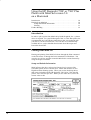
This document describes the most efficient way to successfully configure
your software application to use the HP DesignJet 750C or 750C Plus
plotter (HP part numbers C3195A/C3196A and C4708A/C4709A).
Although your software application documentation contains general information about configuring devices, you’ll find this information to be
helpful because it pertains specifically to the HP DesignJet 750C or
750C Plus plotter.
Read all instructions and perform each step in this document in sequence. You’ll learn how to:
Configure your device to work with your computer and your application software,
Answer questions asked by your application during device configuration, and
Use your software application and the device to configure additional
features (optional).
Before You Begin
Here’s what you should do before using the instructions in this document:
Install your software application on your computer, and
Set up the HP DesignJet 750C or 750C Plus plotter using the instructions in the User’s Guide that was packaged with the device. The
guide instructs you on loading media and print cartridges, and connecting the plotter to your computer.
If You Need Help
If you have questions about the information or instructions presented in
this document, contact your software application dealer for help. If you
need further assistance with your plotter, contact the HP Customer Support Center:
HP Customer Support Center
(208) 323–2551
7 a.m.–6 p.m.* Mountain Standard Time
* The center closes at 4:00 p.m. on Wednesdays
You can also refer to the documents that came with your software application and the user’s manual that came with your plotter or printer for
more information.