1
CD Player (continued)
E
N
G
L
I
S
H
POWER
11
SEL
NUMBER
[#] (number)
#
1
2
3
RAND
SCAN
REP
4
5
6
7
8
9
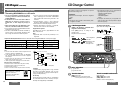
❐ What is MP3/WMA?
MP3 (MPEG audio layer 3) and WMA (Windows MediaTM Audio) are the compression formats of digital audio.
The former is developed by MPEG (Motion Picture Experts Group), and the latter is developed by Microsoft
Corporation. Using these compression formats, you can record the contents of about 10 music CDs on a single CD media. (This figures refer to data recorded on a 650 MB CD-R or CD-RW at a fixed bit rate of 128 kbps
and a sampling frequency of 44.1 kHz.)
[0] to [9]
(track/file/folder
number)
5
0
BAND
DISP
SET
Note:
≥ MP3/WMA encoding and writing software are not supplied with this unit.
≥ CD writing software is not supplied with this unit.
Car Audio
Direct Track (File) Selection
Example: track (file) number 10
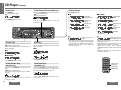
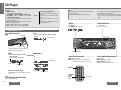
1 Press [#] .
12
VOL
MUTE
6
[BAND] (set)
Notes on MP3/WMA
MENU
SOURCE
E
N
G
L
I
S
H
∫ CD
2 Press [1] [0].
Text Scroll
❐ Points to remember when making MP3/WMA files
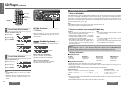
Press [SCROLL].
When the display is set to show disc/track title
(folder/file name/ID3/WMA tag) (page 25), this rescrolls the text.
3 Press [BAND].
ID3/WMA Tag Setting
∫ MP3/WMA
Press and hold [SCROLL] for more than 2 seconds.
Common
≥ High bit rate and high sampling frequency are
recommended for high quality sounds.
≥ Selecting VBR (Variable Bit Rate) is not recommended because playing time is not displayed
properly and sound may be skipped.
≥ The playback sound quality differs depending on
the encoding circumstances. For details, refer to
the user manual of your own encoding software
and writing software.
MP3
≥ It is recommended to set the bit rate to “128 kbps
or more” and “fixed”.
WMA
≥ It is recommended to set the bit rate to “64 kbps
or more” and “fixed”.
≥ Do not set the copy protect attribute on the WMA
file to enable this unit to playback.
Caution:
≥ Never assign the “.mp3”, or “.wma” file name extension to a file that is not in the MP3/WMA format.
This may not only produce noise from the speaker damage, but also damage your hearing.
(Default)
❐ Display Information
Direct Folder Selection
Example: folder number 10
1 Press [#] twice.
2 Press [1] [0].
3 Press [BAND].
Note:
≥ Press [DISP] (display) to return to the regular
mode.
≥ Operation returns to the start of the disc when a
folder with no MP3 or WMA format files is selected.
26
CQ-DP383U
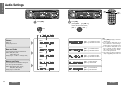
When a folder name is displayed:
TAG ON: The album title is displayed.
TAG OFF: The folder name is displayed.
When a file name is displayed:
TAG ON: The title/artist name is displayed
TAG OFF: The file name is displayed.
∫ Displayed items
CD-TEXT
≥ Disc title
≥ Track title
MP3/WMA
≥ Folder name
≥ File name
MP3 (ID3 tag)
≥ Album title
≥ Artist name
≥ Title name
WMA (WMA tag)
≥ Album title
≥ Artist name
≥ Title name
∫ Displayable characters
≥ Displayable length of file name/folder name: within 128 characters
≥ Name files and folders in accordance with the standard of each file system. Refer to the instructions of writing software for details.
≥ ASCII character set and special characters in each language can be displayed.
ASCII character set
A to Z, a to z, digits 0 to 9, and the following symbols:
(space) ! ” # $ % & ’ ( ) * + , - . / : ; < = > ? @ [ \ ] ˆ _ ` { | } ~
Special characters
À Á Â Ã Å à á â ã å Ä ä
Ò Ó Ô Õ Ö ò ó ô õ ö
Ù Ú Û Ü ù ú û ü
Note:
≥ With some software in which MP3/WMA format files have been encoded, the character information may not
be displayed properly.
≥ Undisplayable characters and symbols will be converted into an asterisk.
CQ-DP383U
27