1
5 Minute Photo Loader/Viewer Software Version 7
Revision 1.3 – February 15, 2014
OVERVIEW
5 Minute Photo Version 7 Loader/Viewer Software - Giving Photographers More Choices for Onsite Event Photography.
The 5 Minute Photo Loader/Viewer Software combo was designed with the onsite event photographer in mind. After
trying to do this ourselves with 3rd party software packages, we quickly realized there had to be a better way and so we
began developing that better way in 2003. 5 Minute Photo has become the leader in event photography software, for
both small and large photography organizations, allowing customers to view their pictures quickly and easily whether its
with 2 viewing stations or 25+ Viewing Stations.
The 5 Minute Photo Loader/Viewer Software combo consists of 2 software programs. One (the Loader) runs on a main
computer that acts as a file server on a Local Area Network (LAN). The other program (the Viewer) runs on multiple
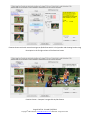
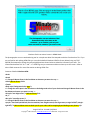
computers connected to the file server/Loader via the LAN and provides the tools needed by customers to view and
select the pictures they want to purchase and have printed.
The Loader is designed to make unloading Compact Flash (CF) and SD memory cards (and other types of digital camera
media) simple, quick and easy to do with as little user intervention as possible. We take the guess work out of the work
flow and make it a simple ONE-CLICK process, freeing up the table tech (or whatever you want to call this person) to
continue to print pictures and wait on customers while the 5 Minute Photo Loader does all of the file management,
copying, rotating, resizing, optimizing, archiving, erasing, etc.
Although the software was originally designed for doing youth sports events we have many customers using the
software for other types of events including dance and cheer competitions, car racing, motocross, skeet shoots,
cat/dog/horse shows, resorts, makeup parties, glamour parties, wedding receptions, rodeos and more. Use your
imagination and let the fun begin. Where we talk about a game, competition or activity, just replace that term with
whatever term you use to describe the separation of your event competitions.
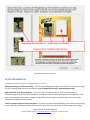
The Viewer software is designed so that a keyboard is not necessary for the customer to be able to view the pictures
and/or place an order. In fact, using desktop or laptop computers or other devices with the keyboard hidden under the
tables is a preferred method of using the viewing stations. When using a laptop just attach an external flat panel
monitor and mouse and place the laptop under the table out of the customer’s reach. The Viewing Stations only need a
monitor and mouse or a touch screen monitor available to the customer. If you are using a laptop or if the keyboard is
available to the customer, just remember there are a few keystrokes internal to Windows that will allow someone that
knows these keystrokes to exit the Viewer application (i.e., CRTL+ALT+DEL, ALT+F4, ALT+TAB, Windows Key, etc.).
Using the 5 Minute Photo Loader/Viewer software successfully may require a few changes to your current workflow or
may require some creative thinking on your part to make it work for how you want to do things but for most event
photographers it will actually simplify your work and workflow. We have tried to make the software as flexible as
possible, while still keeping it simple, quick and easy to use. With Version 7 we’ve added a LOT of new optional features
and customizable options to fit almost every event photographer’s needs.
Page 2 of 101 - Printed 2/15/2014
Copyright® 5 Minute Photo, www.5MinutePhoto.com 2005-2014. All rights reserved.