1
SolveXL – User Manual
1 Current Version
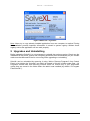
Version number can be determined in the About box accessible from SolveXL’s menu. To
make sure that you are running the latest version, visit the website of the application
(http://www.solvexl.com/).
2 Reporting bugs and problems
To report a bug or problem related to SolveXL please send an email to solvexl@solvexl.com
describing the issue and if possible attach an Excel Worksheet which can be used to
reproduce the problem.
3 Introduction
SolveXL is an add-in for Microsoft Excel that adds the possibility to use genetic algorithms to
solve various optimization problems. To be able to work with this add-in user is required to
have only basic knowledge of Microsoft Excel to enter appropriate formulas that represent
given problem. Some basic knowledge of genetic algorithms is also essential in order to
configure the algorithm properly to obtain best results.
The new version of the add-in uses Mark Morley’s GA library which should perform much
faster in comparison to the original library written in Pascal.
4 Installation
Before installing SolveXL, please make sure that your system meets following configuration
requirements:
Operating system: Microsoft Windows 2000, XP and Vista
Microsoft Excel: Microsoft Excel 2000, XP, 2003 and 2007
To install and use SolveXL the user performing this operation must have sufficient privileges.
Currently it is not possible to install or run this application under the limited account in
Microsoft Windows XP Home. Please ensure that Microsoft Excel isn’t running before
starting the installation.
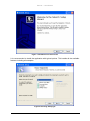
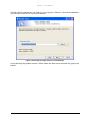
To install the application it is necessary to download installation package from following
address: http://www.solvexl.com/. After downloading the installation package run the installer
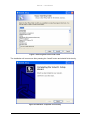
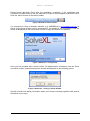
“SolveXL.exe” and follow the instructions. SolveXL is always installed under current user.
3