1
SolveXL – User Manual
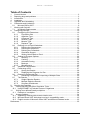
Table of Contents
1
2
3
4
5
6
Current Version ..............................................................................................................3
Reporting bugs and problems .........................................................................................3
Introduction .....................................................................................................................3
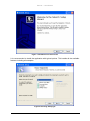
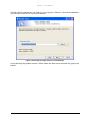
Installation ......................................................................................................................3
Upgrades and Uninstalling ..............................................................................................8
Constraints and Limitations.............................................................................................9
6.1
Microsoft Office 2007 ..............................................................................................9
7
Working with SolveXL ...................................................................................................10
7.1
Workbook Requirements.......................................................................................10
8
Configuring SolveXL .....................................................................................................10
8.1
Configuring GA Parameters ..................................................................................10
8.1.1
Population Size .............................................................................................11
8.1.2
Algorithm Type ..............................................................................................12
8.1.3
Crossover Type .............................................................................................13
8.1.4
Selector Type ................................................................................................14
8.1.5
Mutator Type .................................................................................................15
8.1.6
Replacer Type ...............................................................................................16
8.2
Defining Link to Excel Worksheet ..........................................................................17
8.2.1
Defining the Chromosome .............................................................................17
8.2.2
Defining the Objectives .................................................................................18
8.2.3
Defining the Constraints ................................................................................19
8.2.4
Simulation Support ........................................................................................20
8.2.5
Writing Values Back to Excel .........................................................................21
8.3
Setting Up Program Options .................................................................................22
8.3.1
Running.........................................................................................................22
8.3.2
Caching .........................................................................................................23
8.3.3
Automatic Saving ..........................................................................................24
8.3.4
Backups ........................................................................................................25
8.3.5
Miscellaneous ...............................................................................................26
8.4
Advanced Configuration ........................................................................................27
8.5
Performing a Run ..................................................................................................27
8.5.1
Saving the Results ........................................................................................28
8.5.2
Displaying the Progress of a Run ..................................................................28
8.6
Resuming Suspended Run ...................................................................................29
8.6.1
Resuming Computation Comprising of Multiple Runs ....................................30
8.7
The Results...........................................................................................................30
8.7.1
Single Objective Results ...............................................................................30
8.7.2
Multiple Objective Results .............................................................................30
8.7.3
Summary Worksheets ...................................................................................31
9
Opening the Examples .................................................................................................32
10
Linking SolveXL with Other Simulation Tools ............................................................32
10.1 Using EPANET to Evaluate Fitness of Organisms ................................................33
11
Writing user defined Penalty multipliers ....................................................................34
11.1 Example of a multiplier ..........................................................................................34
12
Known problems .......................................................................................................34
12.1 Application crashing with access violation error ....................................................34
12.2 Microsoft Excel 2007 Worksheet running in compatibility mode ............................35
12.3 English version of Microsoft Office 2007 and different Windows locale .................35
References ...........................................................................................................................35
2