1
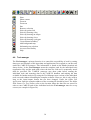
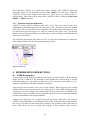
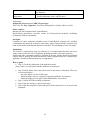
Print
Show extents
Zoom in
Zoom out
Pan
Remove selection
Select by point click
Select by drawing a line
Select by drawing an ellipse
Select by drawing a box
Select by drawing a polygon
Create dataset boundary
Add background map
Information on selection
Accesses Find facility
Help
4.6
Tool manager
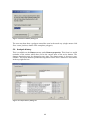
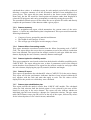
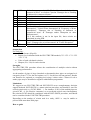
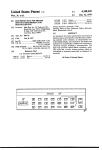
The Tool manager‘s primary function is to control the accessibility of tools by setting
data types and locations of the input data and application files required to run the tools
under the CARE-W Prototype. This information is found on the Tools (location) tab
shown below. In the Tool manager menu the complete path for the individual tools
(application file) and the path name where the data for each tool is temporally stored
must be specified. The CARE-W prototype uses these paths before running the
individual tools and returning data to the CARE-W database and making the data
available for further analysis. By using the Tool Manager new versions of the individual
tools can used without reinstalling the complete software. However, this is only valid as
long as the input-/output format has not been changed. Under the folder Full
Application Name the complete address of the executing file should be listed. The folder
Path Names For Tool Names refers to the location where the data files are stored. In
order to run CARE-W and all the individual tools the Tool manager must be set up
correct (see example in Figure 24).
38