1
Quick-start guide for host • 3
21/3/2013
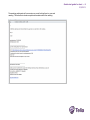
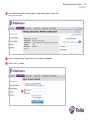
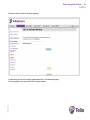
Changing your password enhances security
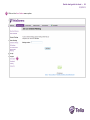
For security reasons, the first time you log in to Telia Webbmöte Meeting Center the
service requires you to change the password we e-mailed you. This one-off action is
described in further detail in Appendix 1: Changing your password on page 17.
The WebEx productivity tool simplifies your
everyday life
Easier web meeting administration
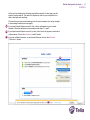
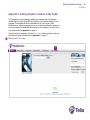
We strongly recommend that you install the WebEx productivity tool, since this
enables you to manage your web meetings more effectively. The WebEx productivity
tool integrates elements of the Telia Webbmöte Meeting Center cloud service with
some of the most frequently used utility programs in Windows.
Once you have installed the WebEx productivity tool, you can for example quickly
start web meetings direct from:
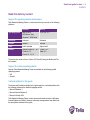
• programs in the Microsoft Office suite
• your browser
• Microsoft Outlook
• IBM Lotus Notes
• your chat program
You can also use Microsoft Outlook or IBM Lotus Notes for administrative management of your web meetings, i.e. scheduling, invitations, cancellations and similar
tasks. Using the same well-known calendar environment for your web meetings as
your physical meetings makes it easier to get an overview of the situation and to use
your work time effectively.
Practical installation management
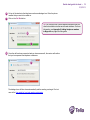
If your company’s IT function transfers full responsibility for Telia Webbmöte Meeting
Center to individual users, you can install the WebEx productivity tool yourself on
your computer. Follow the instructions in Appendix 3: Installing the WebEx
productivity tool on page 22 of this guide.
If your company’s IT policy requires all software installation to be coordinated, your
IT department will provide you with an installation file and anything else you need in
order to use the WebEx productivity tool on your computer.