1
Chapter 5: Edit a Program
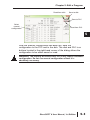
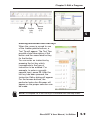
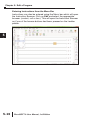
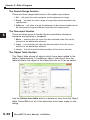
Read from disk
Save to disk
Save to PLC
Select
manual
configuration
Read from PLC
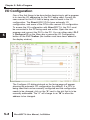
After the manual configuration has been set, save the
configuration to the PLC and to the disk. The disk and PLC icon
buttons located in the right-hand corner of the dialog allows the
configuration to be either saved or read.
WARNING: The majority of DirectLOGIC PLCs only require automatic
configuration. Do not use manual configuration unless it is
absolutely necessary.
DirectSOFT 6 User Manual, 1st Edition
1
2
3
D
5
6
7
8
9
0
1
2
3
4
A
B
C
D
5-3