1
Chapter 5: Edit a Program
Selecting Rungs for Deleting, Cutting or
Copying
While developing the program, there will be times when you will
want to make revisions or correct mistakes. Also, there may be
times when a rung needs to be moved (cut and paste) to another
location in the program. Or, there may be a rung or rungs that you
want to duplicate or repeat several times (copy and paste). The
next three pages will illustrate how to do these tasks.
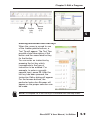
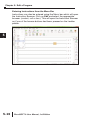
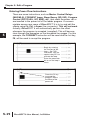
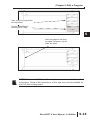
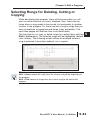
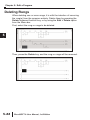
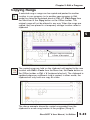
The first step to cut, copy or delete rungs is to select them with the
Shift + Arrow keys. The selected rungs will be highlighted (default
color is blue). The following screen shows an example where a
rung is selected to be either deleted, cut or copied.
TIP: Use shortcuts to quickly select portions of the program
Shift + Home selects all rungs from the current rung to the beginning of
the program.
Shift + End selects all rungs from the current rung to the end of the
program.
DirectSOFT 6 User Manual, 1st Edition
1
2
3
D
5
6
7
8
9
0
1
2
3
4
A
B
C
D
5-21