1
IMPORTANT! Oil shall be homogeneous and liquid, without any solid
particles of non-melted oil. Such solid particles can lead to clogging
of oil system.
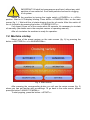
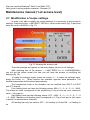
Switch on the machine by turning the toggle switch <<POWER>> to <<ON>>
position. Wait for LCD-display booting. Press button <<PUMPING ON>> on the main
screen (fig. 1.). Wait until the oil starts dripping from the oil nozzle. After this switch off
the oil circulation by pressing the button <<PUMPING OFF>>.
If oil doesn’t come out of the nozzle within 30 seconds, it’s necessary to circulate
oil manually (the details see in the complete version of operating manual).
After oil circulation the machine is ready for operation.
1.2. Machine startup
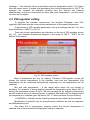
Select one of the preset recipes on the main screen (fig. 2) by pressing the
button <<BUTTERLY>> or <<MUSHROOM>>.
Fig. 2. Main screen
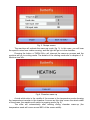
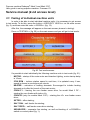
After pressing the corresponding button you will see the recipe screen (fig. 3)
where you can get familiar with pre-settings. To go back to the main screen, please
press the button <<BACK TO MENU>>.
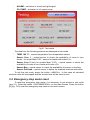
To start popping, press the button <<START>>.